Jobber vs. ServiceTitan: Features, Pricing & Performance
Compare Jobber vs. ServiceTitan for field service management, including key features, pricing, and user experiences to find the right tool for your business.
Nov 10, 2025

Share


We reviewed Jobber and ServiceTitan and found distinct benefits. Jobber emphasizes simplicity, ease of use, and cost-effectiveness for small to mid-sized teams. ServiceTitan focuses on depth, scalability, and advanced control, suitable for larger or growing businesses.
This article is an in-depth comparison of Jobber vs. ServiceTitan. We’ll compare each tool’s key features, pricing, and user experience. We will also introduce an alternative, FieldPulse, that might be a better fit for your business.
Jobber Overview
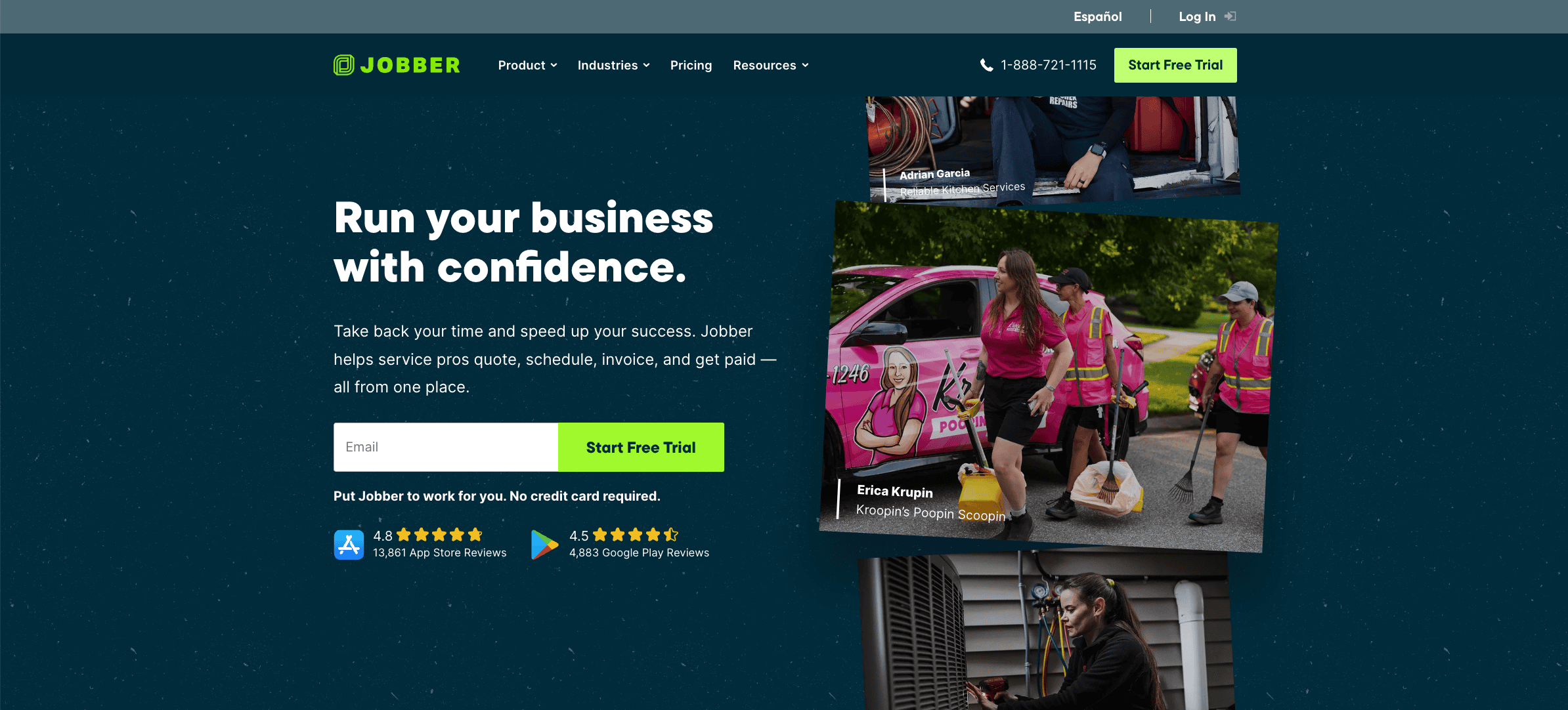
Jobber is a field service management software built for small to medium-sized businesses (SMBs). The tool is designed for trades like plumbing, HVAC, electrical, landscaping, cleaning, pest control, pool service, and lawn care.
Many users like Jobber’s simple interface, but find it less customizable and flexible for their unique workflows.
See also: Jobber Alternatives
Jobber Key Features
Here are the key features of Jobber:
- Scheduling & dispatching: Provides a drag-and-drop calendar to assign, reschedule, and track jobs in real-time.
- Route optimization: Automatically calculates the most efficient travel routes for field technicians to reduce drive time and fuel costs.
- GPS waypoints & team location tracking: Tracks employee locations in real-time to optimize dispatching, routing, and accountability.
- Job forms & checklists: Attaches detailed instructions, checklists, and required photos to each job so field teams have clear on-site guidance.
- Quote creation: Allows creation of professional quotes with line-item add-ons and markups.
- Quick approvals: Allows customers to approve or request changes directly through the client portal.
- Online booking: Lets customers submit service requests or book appointments online, which are captured and tracked directly in Jobber.
- Invoicing: Creates invoices from completed jobs, sends them by email or text, and automates reminders for overdue payments.
- Client management (CRM): Stores detailed client profiles, including contact details, service history, notes, and communication records.
- Communication automation: Sends appointment confirmations, reminders, “on my way” messages, and job completion updates automatically via text or email.
- Time tracking & location timers: Allows staff to clock in and out of jobs manually or automatically when they arrive on-site.
- Integration with accounting tools: Syncs invoices, payments, and timesheets with accounting software like QuickBooks Online to streamline bookkeeping.
- Work order management: Tracks job details, forms, and progress across multiple stages in one organized system.
- Business insights & reporting: Provides performance dashboards and reports to track revenue, job completion rates, outstanding balances, and client activity.
- Mobile app for field teams: Gives technicians mobile access to schedules, job details, forms, and customer history for efficient work in the field.
Jobber Pricing
Jobber offers three pricing plans:
- Grow: $199/month for 1 user
- Connect: $119/month for 1 user
- Core: $39/month for 1 user
Jobber Reviews
Review #1 : “We really like the work flow of Jobber. It has helped us streamline and model our systems and processes after the jobber structure.” – Zack P.
Review #2 : “Some things that we do not like is the inability to do a change order in current job, the overall monthly cost of the platform, the QuickBooks sync is insufferable so we had to unsync it and manage QuickBooks Online manually…” – Douglas M.
Jobber Rating
ServiceTitan Overview
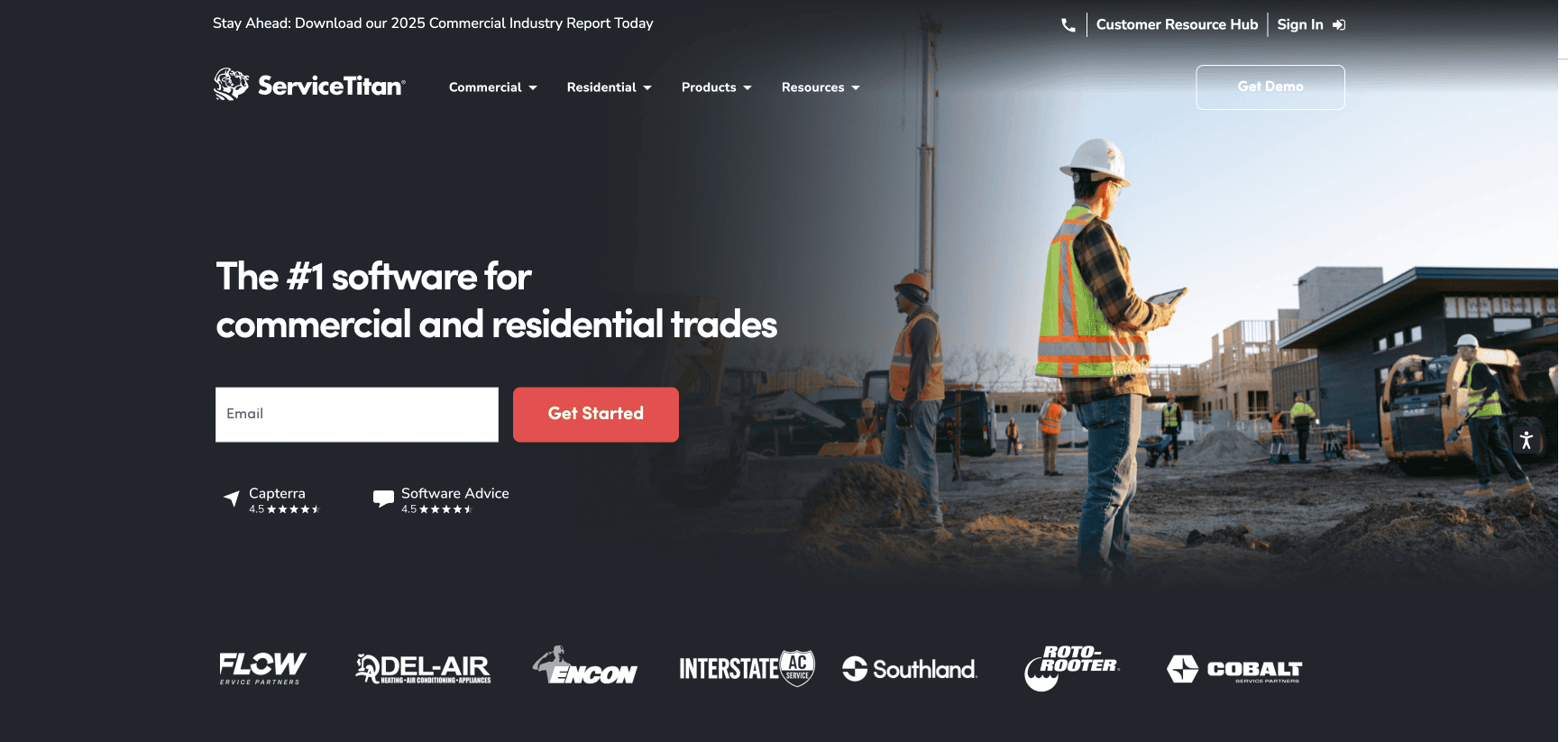
ServiceTitan is a field service software for commercial and residential businesses in trades like HVAC, plumbing, electrical, and garage door.
ServiceTitan works best for growing and large companies with multiple technicians, field crews, or locations.
The software is praised for its analytical capabilities and integration options. But many users complain about poor customer service, complex onboarding, and expensive pricing.
Read more: ServiceTitan Alternatives
ServiceTitan Key Features
Here are the key features of ServiceTitan:
- Scheduling and dispatching: Uses a visual dispatch board and calendar to assign, reschedule, and monitor jobs in real-time while viewing technician availability and route status.
- Call booking and lead management: Converts incoming calls and web requests into jobs with automatic lead tracking and caller ID integration for personalized service.
- Technician mobile app: Gives field technicians access to job details, equipment history, forms, and the ability to capture photos, signatures, and payments on-site.
- Dynamic forms and checklists: Provides customizable digital forms with required fields and conditional logic to standardize data collection.
- Inventory and purchasing management: Tracks materials and parts across warehouses and vehicles, generates purchase orders, and manages stock levels automatically.
- Equipment and asset tracking: Maintains detailed records of customer equipment, service history, model data, and warranties for accurate maintenance.
- Estimates and proposals: Creates branded, itemized quotes with parts and labor details that customers can review and approve digitally.
- Change orders and progress billing: Allows scope adjustments and phased billing for multi-stage or evolving projects.
- Job costing and profitability tracking: Compares estimated versus actual costs for labor, parts, and materials to assess job-level profitability.
- Invoicing and payment processing: Generates invoices automatically from completed jobs and accepts payments via card, ACH, or financing options.
- Two-way texting and notifications: Sends and receives SMS updates with customers, including appointment reminders and “technician on the way” alerts.
- Service agreements and memberships: Manages recurring maintenance plans, automatically schedules service visits, and processes recurring billing.
- Titan Intelligence (AI analytics): Uses AI-driven analytics and industry benchmarking to forecast performance and optimize pricing or staffing decisions.
- Accounting and payroll integrations: Syncs invoices, payments, and timesheets with accounting platforms for streamlined financial management.
ServiceTitan Pricing
ServiceTitan offers three custom pricing plans: Starter, Essentials, and The Works. According to online sources , the pricing may start from $125 per technician per month.
ServiceTitan Reviews
Review #1 : “ST has helped us to dispatch our electricians more efficiently, ensuring that we are sending the right people to the right job at the right time…” – Dawn J.
Review #2 : “ServiceTitan can definitely be a bit challenging to set up, and the extra costs for pro products on top of the already expensive system can be frustrating.” – Sara L.
ServiceTitan Rating
Jobber vs. ServiceTitan: Feature-by-Feature Comparison
Here’s a feature-by-feature comparison between Jobber and ServiceTitan:
Scheduling
Jobber’s scheduling feature offers a straightforward drag-and-drop calendar that makes assigning and adjusting jobs quick and easy, perfect for small to mid-sized teams.
ServiceTitan provides a more advanced dispatch board with route maps, technician availability, and real-time GPS tracking. This is more suited for larger teams or companies managing multiple crews.
Dispatching
Jobber’s dispatching software includes live GPS tracking so managers can see field crew locations in real-time and assign jobs based on proximity. ServiceTitan automates technician assignments based on skill set, location, and performance data. Each job goes to the best-fit technician.
Estimates and Proposals
Jobber allows you to create professional, itemized quotes with optional add-ons and send them to clients for digital approval.
ServiceTitan also offers digital proposals, but it adds more advanced options, such as multi-option estimates, pricebook integration, and performance tracking for upselling.
Customer Management
Jobber’s built-in CRM maintains client information, job history, and communication records in one hub, along with a client portal for viewing quotes and invoices. ServiceTitan offers a customer portal, which allows customers to schedule appointments, view service agreements, and track job progress online.
Invoicing
Both Jobber and ServiceTitan generate digital invoices directly from completed jobs. ServiceTitan offers more advanced invoicing workflows, including progress billing, milestone payments, and change order adjustments for large projects.
Jobber focuses on simplicity, allowing one-click invoicing from job details and automated reminders for outstanding balances.
Payments
Jobber offers built-in Jobber Payments for easy credit card and ACH transactions, emphasizing convenience and quick setup for small business owners.
ServiceTitan integrates payment processing with accounting and financing options, allowing ACH, credit card, and third-party financing through its payment partners.
Mobile App
Jobber’s mobile app gives technicians access to schedules, job details, and the ability to log time, capture photos, and collect signatures directly in the field.
ServiceTitan’s mobile app allows field staff to view equipment history, upsell using dynamic pricebooks , and process payments, all connected in real-time to office operations.
Job Costing and Reporting
Both Jobber and ServiceTitan include reporting tools to track performance and revenue, but ServiceTitan offers detailed job costing and profitability analysis with customizable dashboards for data-driven insights.
Jobber provides simpler reports and overviews focused on key financials and team productivity for smaller-scale businesses.
Inventory and Equipment Management
Jobber offers basic inventory features like tracking materials used in jobs and optionally flagging low-stock items. But it doesn’t include a fully integrated parts-and-equipment system within its core offering.
ServiceTitan provides a comprehensive, built-in inventory and equipment system. It supports real-time parts tracking, barcode scanning, automated reordering, and detailed equipment records with full service histories.
Service Agreements and Recurring Jobs
Both software support recurring work and maintenance contracts, but ServiceTitan handles complex multi-year service agreements, renewals, and automated scheduling for larger client bases.
Jobber simplifies repeat scheduling and automatic billing for regular maintenance or cleaning jobs.
Integrations
Jobber integrates with popular tools like QuickBooks, Xero, and Zapier, and recently introduced AI-powered workflow automation to reduce manual admin tasks like follow-ups and scheduling.
ServiceTitan offers broader enterprise integrations, open API access, and Pro-level add-ons.
Analytics and AI Features
Jobber provides simple performance tracking through its business dashboard and automation insights. ServiceTitan’s Titan Intelligence platform offers AI-driven analytics for benchmarking, job value forecasting, and real-time business performance monitoring.
Jobber vs. ServiceTitan: Feature Comparison Table
Feature Jobber ServiceTitan Scheduling Simple drag-and-drop calendar for quick job assignments and rescheduling; ideal for small teams Advanced dispatch board with route maps, tech capacity, and real-time GPS tracking Dispatching Manual job assignment with live GPS tracking to locate nearby techs Automated dispatch using skill, location, and performance data Estimates & Proposals Creates itemized quotes with optional add-ons and easy digital approvals Offers complex proposals with multi-option quotes, pricebook integration, and upsell tracking Customer Management Basic CRM with job history, notes, and a client portal for quotes and invoices Robust CRM with customer portal for scheduling, service agreements, and job tracking Invoicing One-click invoicing with automated payment reminders Advanced workflows with progress billing, milestone payments, and change orders Payments Built-in Jobber Payments for quick card and ACH transactions Integrated payments with ACH, cards, and third-party financing Mobile App Technician app for schedules, notes, photos, and signatures Field app with equipment history, dynamic pricebook, and real-time office sync Job Costing & Reporting Basic reports on revenue and productivity Detailed job costing, profitability dashboards, and customizable analytics Inventory & Equipment Limited inventory tools; mainly job-level tracking Full inventory management with POs, warehouses, and equipment service history Service Agreements Automates recurring jobs and billing for maintenance or cleaning services Handles multi-year contracts, renewals, and automated scheduling for large client bases Integrations Connects with QuickBooks, Xero, Zapier, and basic workflow automations Offers open API, enterprise integrations, and modular Pro add-ons Analytics & AI Simple performance dashboard with basic automation insights Titan Intelligence delivers AI analytics, forecasting, and benchmarking
FieldPulse: A Better Field Service Software Alternative to Jobber vs. ServiceTitan for SMBs
FieldPulse is a field service management software built for small to medium-sized teams that manage 5 – 200+ employees. It is built for commercial , residential , and franchise businesses in various trades.
As a Jobber and ServiceTitan alternative, FieldPulse gives you more flexible solutions with customizable workflows, so you can scale your business with confidence.
Here’s how FieldPulse features simplify and automate your field service operations:
Scheduling and Dispatching to Complete Jobs Faster
Many small teams rely on spreadsheets to book schedules and assign technicians, leading to missed appointments, scheduling conflicts, and unbalanced workloads.
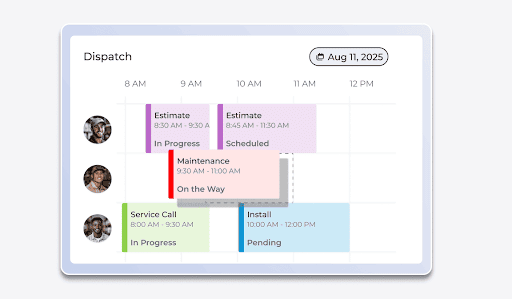
FieldPulse offers scheduling and dispatching features with real-time visibility and control. You can view, track, and manage all your schedules from a single system. This keeps your field staff, office teams, and customers on the same page.
Our software provides a complete overview of each technician’s skillset, availability, and proximity in real-time. You can use our drag-and-drop editor to schedule jobs by dragging a technician’s profile directly on the calendar.
FieldPulse offers multiple calendar views to match your scheduling preferences and operational needs:
- Day, Week, and Month views: Provide visibility into upcoming jobs across different time frames for easier planning.
- List view: Displays all scheduled jobs in a clean, scrollable format that can be filtered by date, team, or status.
- Dispatch view: Offers a technician-focused layout for assigning and managing jobs based on staff availability.
- Map view: Plots job locations geographically to help plan efficient routes and minimize travel time.
- Gantt or Timeline view: Presents jobs in a time-based layout for quick insight into workload distribution and duration.
For example, if you're managing schedules for multiple jobs across different neighborhoods, the Map view helps you group nearby appointments efficiently. If you're overseeing a multi-day project, the Gantt view lets you visualize overlapping tasks and adjust timelines easily.
FieldPulse’s dispatching module includes GPS-based location tracking and a smart availability tool. When a customer books an urgent job, our software shows your technician’s real-time location, so you can assign the job faster.
You can also use the "Find Availability" function. It suggests open time slots for new jobs based on technician schedules and availability.
This helps you respond faster, avoid double bookings, and close more jobs every day.
Custom Workflows to Standardize Job Processes
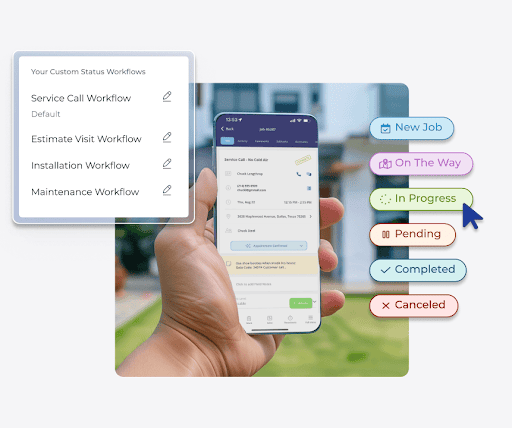
Many teams rely on technician experience, scattered notes, or informal verbal instructions to complete jobs. There’s no standardized process to follow. As a result, new technicians struggle to deliver consistent services for recurring jobs.
FieldPulse offers custom workflows to standardize your job processes. This allows new technicians to follow specific workflows to complete recurring tasks accurately.
You can build unique workflows for different service types, such as repairs, installations, or warranty replacements. FieldPulse also lets you update or modify these workflows based on technician notes to keep things consistent as you grow.
Our software provides job tracking and visibility to improve accountability through custom status workflows . You can set a custom job status that outlines each step of a job. Technicians update their progress in the app as they move through each stage.
This allows your office staff to monitor job updates in real-time. It helps them confirm that each step is completed correctly and consistently for a professional service experience.
Inventory Management to Track Equipment Usage and Stock Levels
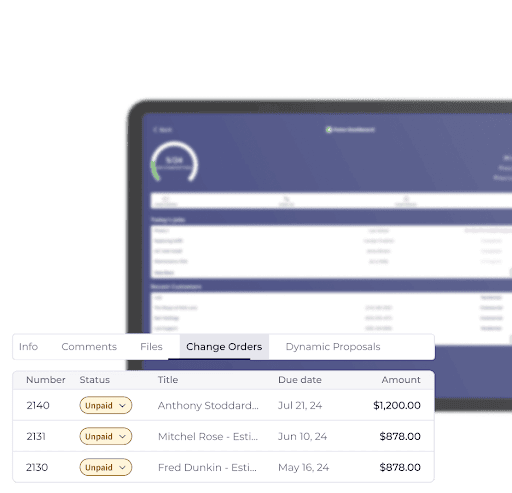
Many ServiceTitan users complain that its inventory tools are overly complicated and require a dedicated staff member to manage.
FieldPulse provides inventory management with real-time tracking tools that help you monitor equipment stock levels, usage, and costs across multiple trucks, warehouses, and job locations.
Our software consolidates all equipment data into a searchable database, allowing you to manage materials instantly and accurately.
It also links your inventory directly with the built-in pricebook. When an item from your pricebook is added to a job, FieldPulse automatically updates inventory levels. This integration saves time, reduces errors, and helps maintain profit margins with accurate material tracking.
FieldPulse’s inventory module includes features that improve visibility and control across your entire supply chain:
- Reallocating inventory items: Move equipment or materials between warehouses, trucks, or hubs with a few clicks while FieldPulse automatically adjusts stock levels.
- Automatic replenishment: Set reorder and replenishment levels for each hub. When stock runs low, the system drafts a purchase order to restock your preferred quantity.
- Inventory count: Take stock easily and correct discrepancies between actual and recorded quantities. Each count is logged by user, date, and location for full accountability.
- Serialized inventory tracking: Assign and manage serial numbers for high-value items, track their movement, and run detailed reports for accountability.
- Multi-hub inventory tracking: Track inventory across multiple job sites, vehicles, and storage hubs in real-time to prevent misplacement or overstocking.
- Comprehensive reporting: Generate reports on usage, costs, and replenishment activity to make better purchasing and forecasting decisions.
Automated Estimates and Invoicing to Collect Payments Faster
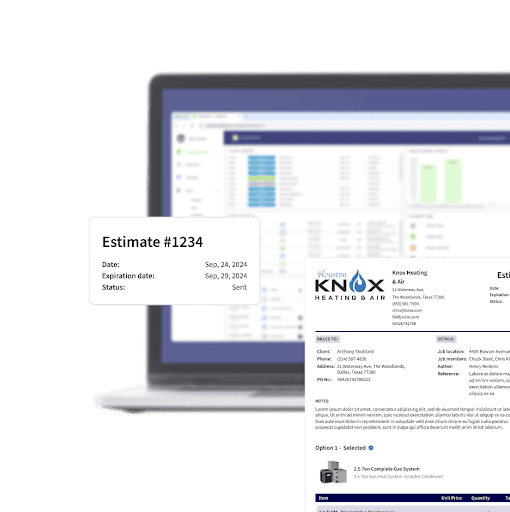
Jobber users complain that moving from a quote to an invoice requires unnecessary steps, making the workflow feel disjointed and inefficient.
FieldPulse’s estimate and invoice software allows technicians to build quotes accurately, convert to invoices, and collect payments in a single workflow.
When a customer asks for a quote, your technicians can build estimates using the FieldPulse mobile, with a complete breakdown of materials, labor, and service type costs.
FieldPulse also allows you to build multiple estimates with pricing options, such as Good, Better, Best, packages, or add-on services, in a single quote.
You can send these estimates directly to your customers via email.
Once your customer approves the estimate, your technicians can convert it into an invoice with a single click. You can build professional invoices with your branded logo, contract terms, and notes.
Your technicians can send these invoices directly to your customers via email and collect payments with digital signatures.
On-site Payments to Get Paid Faster
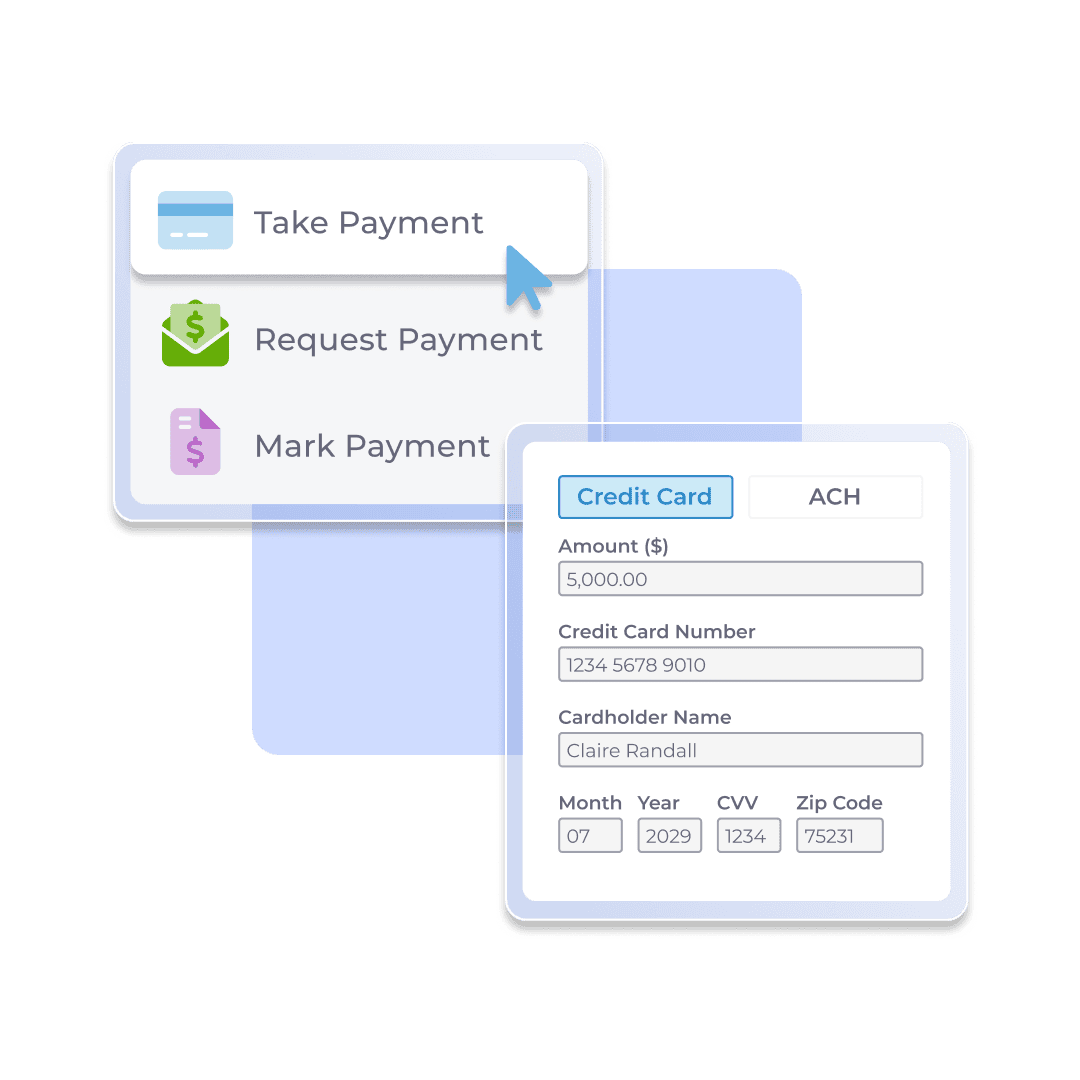
Many field service teams struggle with delayed payments and extra admin work because their payment tools aren’t connected to their job or invoicing system.
FieldPulse Payments allows your technicians to collect payments immediately after a job is done. The payment module is fully integrated with your invoices and job records, so you can manage billing, transactions, and deposits all in one place.
With FieldPulse Payments, you can accept payments in three ways:
- Email payment requests: Send customers an online payment request with their invoice via email from the web or mobile app. Customers can pay instantly by credit card or ACH using a secure “Pay Invoice” button.
- Process payments on-site: Technicians can take payments directly in the mobile app using their phone, either by typing in, scanning, or swiping a card. This allows you to close out jobs and collect payment before leaving the customer’s location.
- Take payments over the phone: The web app supports payment collection during phone calls, allowing office staff to process customer payments safely and instantly.
Once a payment is received, the invoice status automatically updates to Paid or Partially Paid, and the system logs all transaction details under the invoice’s Payment History for complete traceability.
Our software also supports a FieldPulse Payments Portal that gives you full visibility into each transaction, from authorization to deposit. This helps you monitor payment statuses and expected payout dates. You can also manage chargebacks directly from the portal, simplifying your financial workflows.
Once the customer makes a payment, FieldPulse deposits the funds into your account as soon as the next business day for approved card and validated ACH transactions.
At the same time, our Deposits Dashboard consolidates all transactions, including credit card, ACH, refunds, and chargebacks, into a single daily deposit.
You can view details such as deposit amount, status, payment method, and creation date, and export reports in CSV format for bookkeeping or analysis.
This allows you to spend less time waiting for payouts and more time reinvesting in your business.
Built-in CRM to Handle Customer Relationships
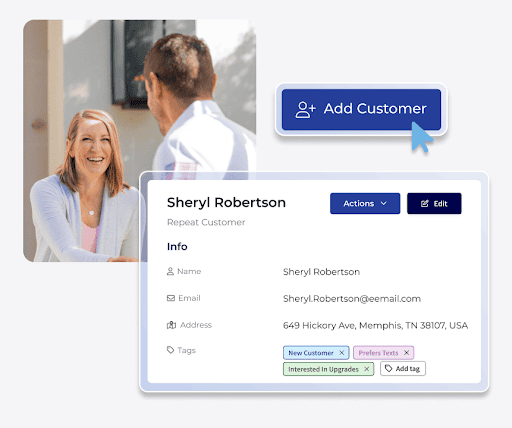
If your customer data is scattered across spreadsheets and emails, you’re likely to struggle with missed job history, lost contact details, and duplicate records.
FieldPulse provides a built-in CRM that consolidates all your customer information, including profile, contact details, and service history, into a single platform. This gives your teams the context they need to provide a personalized service.
With FieldPulse CRM, you can:
- Keep projects on schedule with timeline tracking: View and manage each project’s progress in one place.
- Build loyalty with automated follow-ups: Automatically check in after jobs, send thank-you messages, or request reviews to maintain strong customer relationships.
- Secure repeat business with maintenance reminders: Send automated service reminders for recurring work so you never miss a revenue opportunity.
- Respond faster through unified communication: Manage emails, messages, and calls in a single hub so your team stays aligned and responsive.
- Stay proactive with real-time notifications: Receive instant alerts when customers reply or request updates, helping you respond quickly and professionally.
For example, if a customer calls about a past repair, your team can instantly pull up their full service history, notes, and invoices in FieldPulse. This lets you answer questions quickly and professionally without digging through spreadsheets or old emails.
Maintenance Agreements to Streamline Recurring Service
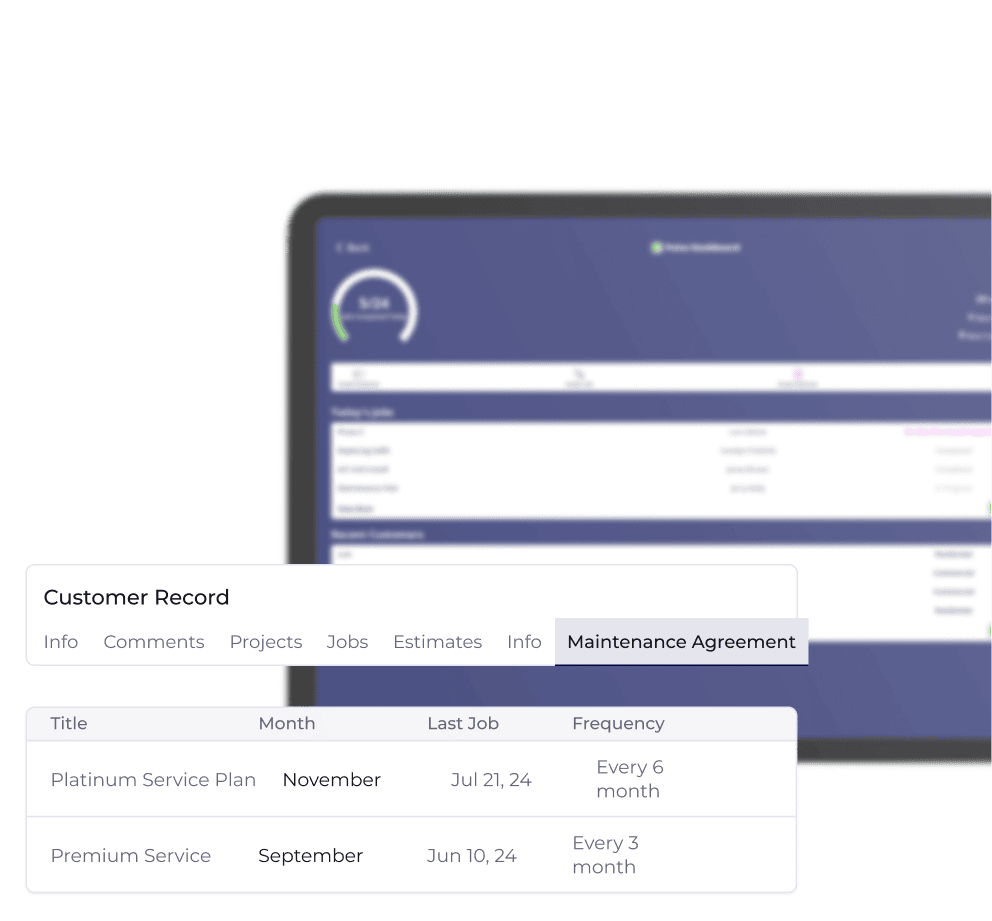
Without structured agreements, teams often struggle to keep track of recurring jobs, leading to missed appointments and inconsistent follow-ups.
FieldPulse’s maintenance agreement feature helps you manage recurring work, automate renewals, and strengthen long-term customer relationships.
You can create a maintenance agreement linked directly to a customer record, set service frequency, and attach recurring billing to maintain consistent revenue.
FieldPulse allows you to build reusable templates for commonly offered service plans. Templates include pricing, billing intervals, and visit schedules, making it easy to create new agreements without repeating the same setup each time.
Once an agreement is ready, you can send a digital contract straight from the platform. Customers receive a branded email and can approve it instantly with an electronic signature. FieldPulse updates the agreement status automatically and notifies your team that the contract is active.
After activation, you can link maintenance agreements directly to customer assets such as HVAC units or plumbing systems. When it’s time for a scheduled visit, FieldPulse automatically generates a new job record with all the relevant customer and equipment details. This reduces administrative work and prevents scheduling errors.
Dashboards and Reporting to Improve Decision-Making
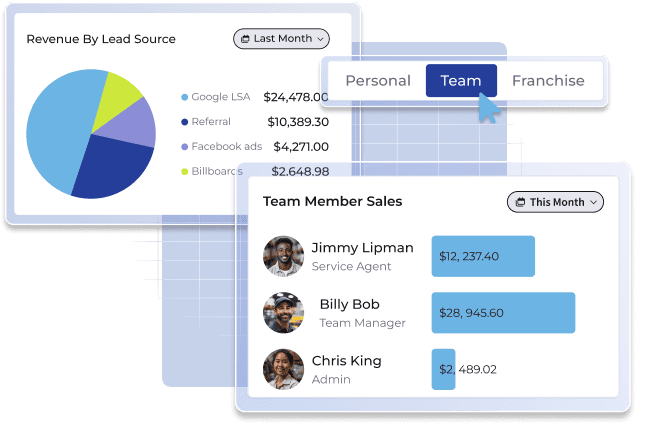
Without a centralized system, it’s hard to track your job costs, technician productivity, and revenue earned. This limits your ability to scale your business sustainably.
FieldPulse offers dashboards and reporting capabilities that help you track jobs, technicians, invoices, payments, and customers in real-time. All your incoming raw data is transformed into actionable insights.
You can customize your dashboard with widgets that display important data, such as payments collected, invoice totals, sales trends, and team activity, all in one centralized view. Each widget includes quick-action buttons, letting you create new jobs, customers, estimates, or invoices directly from the dashboard.
Our dashboard is fully configurable. You can reorder, remove, or filter widgets based on the metrics that matter most to your business.
Here’s what you get:
- Advanced analytics for deeper insights: Uncover trends across jobs, technicians, and departments to understand what’s driving performance.
- Technician performance tracking: Measure individual productivity, completion rates, and efficiency to identify top performers and training needs.
- Job profitability analysis: Compare costs and revenue for each job to pinpoint which services and customers deliver the highest returns.
- Operational and financial connection: Link job data with financial reports to quickly spot inefficiencies, control costs, and improve margins.
- Comprehensive financial visibility: Monitor revenue from completed jobs and invoices alongside expenses like materials, labor, and overhead.
- Real-time profitability reports: See where your business is most profitable and where adjustments are needed to maintain steady growth.
- Unified decision-making platform: Consolidate financial, team, and performance data in one place to make informed decisions and scale efficiently.
FieldPulse Mobile App for Field Teams On The Go
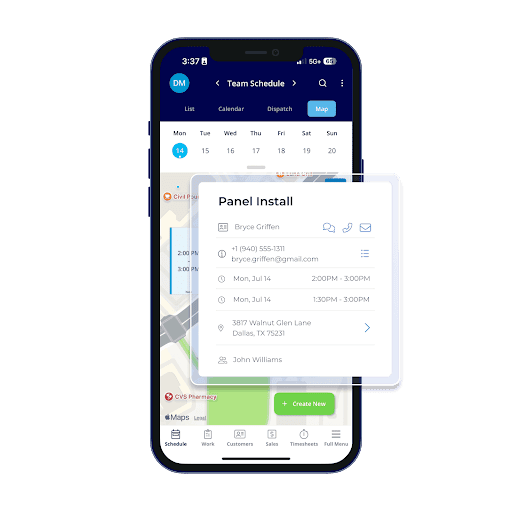
Many Jobber users complain that the mobile app lacks several key features available on the desktop version, making it harder to manage operations effectively in the field.
The FieldPulse mobile app gives managers and technicians all the tools they need to manage field service operations on the go.
Our mobile app allows techs to:
- View and manage schedules: Access daily or weekly job calendars, see assigned tasks, and get directions to each site.
- Update job progress: Mark jobs as in progress or complete, add notes, photos, or attachments directly from the field.
- Create estimates and invoices: Generate and send professional quotes or invoices on-site using the built-in pricebook for accurate pricing.
- Collect payments instantly: Collect credit card or ACH payments in the field and automatically record them in the system.
- Track time and labor: Clock in and out or log time against specific jobs for accurate reporting and payroll.
- Access customer details: Review customer contact info, service history, and notes to deliver a personalized experience.
- Work offline: Continue working without internet access. The app syncs updates automatically when reconnected.
- Stay updated: Receive push notifications for new job assignments, schedule changes, or team messages in real-time.
This keeps your office and field teams organized and on track.
FieldPulse Integrations
Managing multiple systems to handle jobs, invoices, and payments leads to data entry errors, slowed processes, and disconnected teams.
FieldPulse supports a wide range of integrations:
- Accounting integrations: QuickBooks Online, QuickBooks Desktop, Xero, and MYOB.
- Payment processing: FieldPulse Payments (credit card and ACH payments).
- Supplier and materials management: The Granite Group, City Electric Supply, Reece (US & ANZ), Winsupply, and Costbook.
- Marketing and customer engagement: Mailchimp, HighLevel, and Marketing 360.
This allows you to onboard your existing systems and sync large datasets faster without disrupting your daily operations.
Book a demo to learn how FieldPulse integrates with your existing systems.
FieldPulse Pros and Cons
Pros
- User-friendly interface
- Quick onboarding process
- Dispatching and scheduling tools
- GPS-based location tracking
- Drag-and-drop editor with visual calendar
- Customizable job workflows
- Pricebook for standardized pricing
- Automated estimate and invoicing
- Project management module
- Inventory tracking and management tools
- Real-time visibility
- Built-in CRM
- Booking portal for customer requests
- Maintenance agreement capabilities
- Customer communication tools
- Strong reporting and analytics
- Configurable dashboards
- Native mobile app
- Offline access support
- Wide range of integrations via Open API
- 24/7 customer support
Cons
- Learning curve for new users, but the customer support team helps you onboard faster
- Some integrations might require extra setup or workarounds
FieldPulse Pricing
FieldPulse offers three custom pricing plans:
- Essentials Plan: Includes core field service tools like customer management, scheduling and dispatching, work order management , estimates and invoices, and mobile app access.
- Professional Plan: Adds workflow automation, project management, and QuickBooks sync for growing teams that need more control and integration.
- Enterprise Plan: Offers everything in Professional, plus multi-location management and open API access for advanced scalability and customization.
Contact our team for more details.
FieldPulse Reviews
Review #1 : “We have continuously sought to streamline our business processes, and FP has been a win-win for us. We replaced six different systems and processes with one, and we expect to save time by having a single point for data entry.” – Keith S.
Review #2 : “The simplicity of the system both on the office / web end and the app for the technicians makes using it that much better. Then there is the customer service that is extremely helpful and responsive.” – Ian W.
FieldPulse Rating
Quick Comparison Table: Jobber vs. ServiceTitan vs. FieldPulse
Platform Best for Key features Overall rating Jobber Small to mid-sized businesses seeking simplicity and ease of use Drag-and-drop scheduling and dispatching, online booking and client portal, quick estimates and invoicing, GPS tracking and route optimization, automated communication and reminders 4.6/5 ⭐ ServiceTitan Mid to large field service companies managing multiple technicians or locations Advanced dispatch board with route maps and GPS tracking, call booking and lead management, job costing and profitability analytics, inventory and equipment management, AI-powered reporting, and forecasting 4.5/5 ⭐ FieldPulse Small to medium-sized businesses with 5–200+ employees that want customization, automation, and scalability Custom job workflows and automation, smart scheduling and dispatching with GPS tracking, built-in CRM and maintenance agreements, real-time dashboards and reporting, mobile app with offline access, and payment processing 4.8/5 ⭐
Jobber vs. ServiceTitan: Which is the Best Field Service Management Software?
Choosing between Jobber and ServiceTitan depends on your business size, feature needs, and number of users.
Jobber is designed for small to mid-sized field service teams that prioritize ease of use and quick setup. Its simple scheduling, quoting, and invoicing tools help streamline daily operations. But its limited customization and reporting can restrict scalability as your business grows.
ServiceTitan is best for large or fast-growing field service companies that manage multiple technicians or locations. It offers deep automation, advanced analytics, and extensive integrations. Yet, its complexity and high cost may not be suitable for smaller teams.
FieldPulse is the Best Software for Growing Field Service Teams
FieldPulse is the best field service management software for SMBs that manage 5 – 200+ employees. It offers customizable workflows, scheduling and dispatching tools, a built-in pricebook, automated invoicing, CRM, a mobile app, and real-time reporting.
Our platform is highly customizable and adaptive to your unique workflows. This allows you to manage jobs, schedules, technicians, invoices, and payments from a single dashboard.
Book a free demo to learn how FieldPulse gives you real-time visibility and control over your field service operations.