FieldEdge vs. ServiceTitan: Which Software Wins in 2026?
See the complete comparison for FieldEdge vs. ServiceTitan, including key features, pricing, and user reviews. Find out which tool is best for your business.
Nov 7, 2025

Share


FieldEdge and ServiceTitan are two popular tools to automate manual or repetitive tasks, such as job scheduling, technician tracking, and invoicing. But choosing between the two is difficult.
In this article, we’ll compare FieldEdge vs. ServiceTitan. We’ll review their key features, pricing, and user reviews to help you make the right choice.
We’ll also introduce a third alternative, FieldPulse, for teams that need more flexibility, customizability, and onboarding support.
FieldEdge
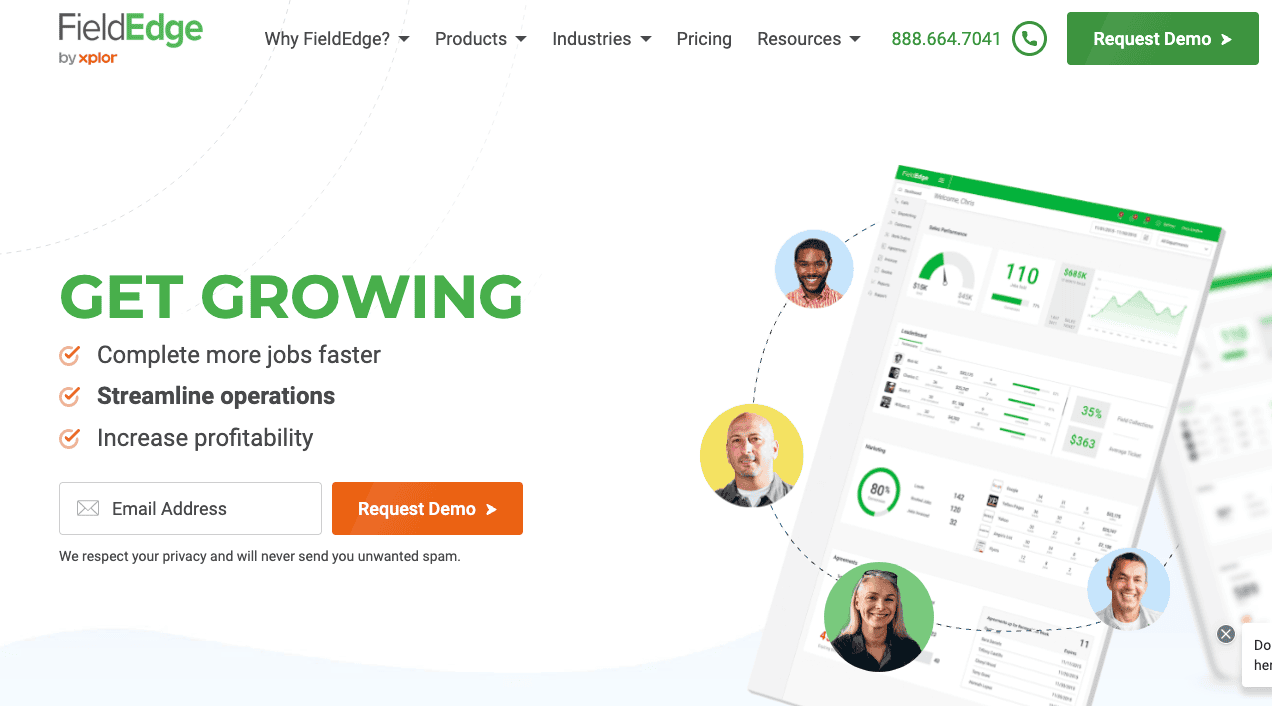
FieldEdge by Xplor is a home service software built for contractors in trades like HVAC, plumbing, electrical, locksmith, and appliance repair.
The tool is primarily made for U.S.-based businesses because of QuickBooks integration, payment processing, and local support networks.
But many users complain about its limited advanced capabilities, poor customer support, and integration issues.
Read more: FieldEdge Alternatives
FieldEdge Key Features
Here are the key features of FieldEdge:
- Customer intake: Record new service requests, customer information, and job details directly into the system for fast response.
- Smart scheduling and dispatching: Assign and reroute work orders in real-time based on technician skills and location.
- Route optimization & mapping: Visualize routes, minimize windshield time, and allocate jobs based on nearest location.
- Mobile job management: Technicians access job details, update status, capture photos or signatures, and invoice in the field.
- Customer service history and equipment tracking: Maintain a centralized record of past jobs, equipment data, and customer details.
- Quotes: Provide tiered proposals (Good / Better / Best) to customers directly in the field.
- Upselling tools: Equip technicians to suggest upgrades, add-on services, or maintenance plans directly through the mobile app.
- Invoicing: Generate and send professional invoices instantly after job completion with accurate labor and material details.
- FieldEdge Payments: Accept secure credit card or ACH payments in the field and sync transactions automatically with accounting systems.
- Service agreement management: Create, monitor, and renew recurring contracts with automatic reminders.
- Inventory management: Manage stock levels and link parts to work orders across trucks and warehouses.
- Real-time dashboards: Monitor KPIs, job profitability, technician performance, and operational metrics.
- QuickBooks integration: Sync between FieldEdge and QuickBooks to reduce manual data duplication.
- Automated notifications & reminders: Send customers real-time alerts for appointment confirmations, ETA updates, and post-service follow-ups.
FieldEdge Pricing
FieldEdge offers custom pricing plans based on your business size, feature needs, and number of users.
FieldEdge Reviews
Here’s what users say about FieldEdge:
Review #1 : “Overall, it is a good system for the price. It gets the job done, syncs with QuickBooks Online, and is rather user friendly.” – Haley D.
Review #2 : “A lot of our issues honestly probably came from the initial setup. Things weren't done properly then we could never seem to get it set up correctly afterward due to poor customer support.” – Leon W.
FieldEdge Rating
ServiceTitan
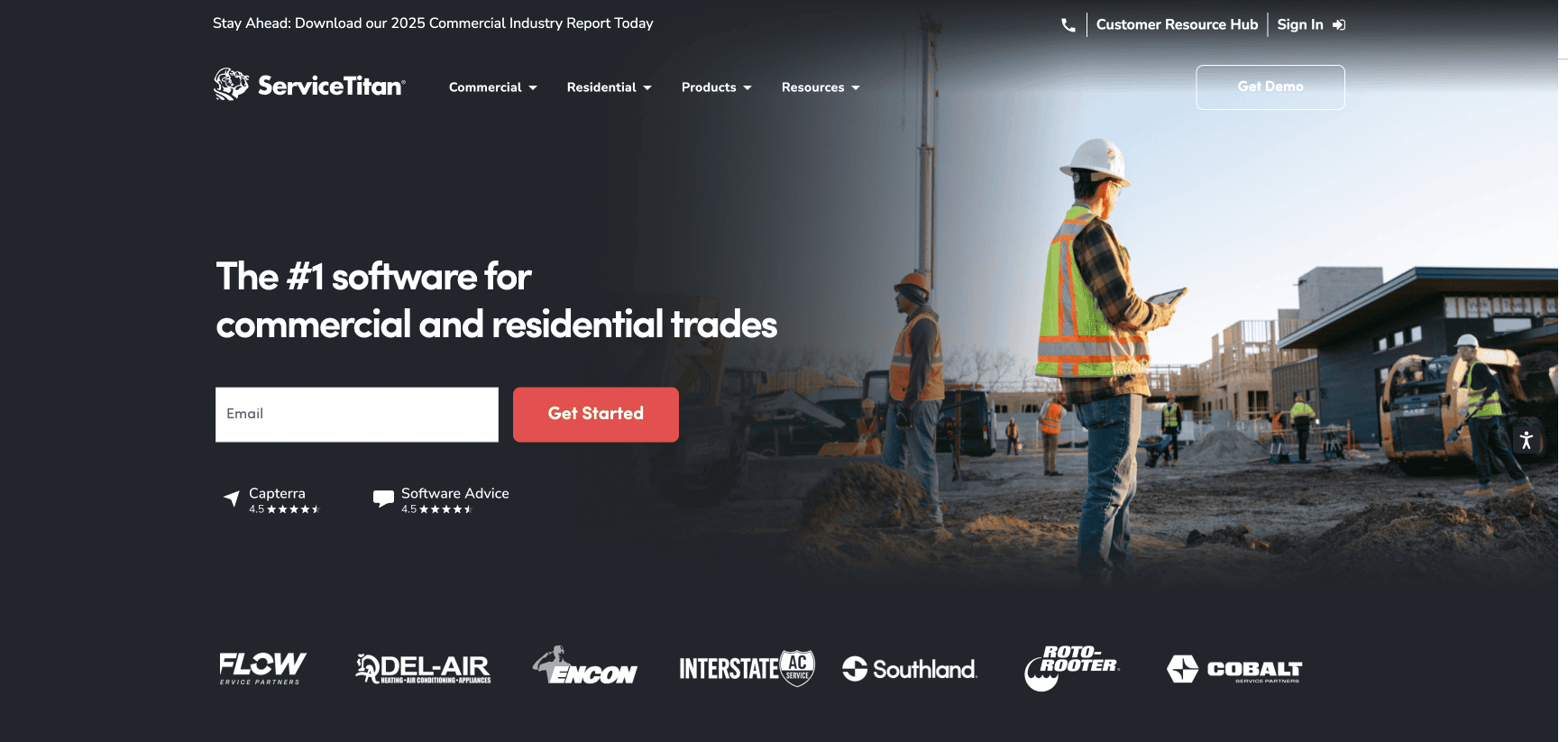
ServiceTitan is a field service management software for mid to large-sized home and commercial service contractors. It serves trades such as HVAC, plumbing, electrical, garage doors, pest control, landscaping, and roofing.
Many users find ServiceTitan adaptable, but too expensive for their business.
See also: ServiceTitan vs. FieldPulse
ServiceTitan Key Features
Here are the key features of ServiceTitan:
- Scheduling and dispatching: Visually assign, organize, and manage technician jobs using drag-and-drop and map-based tools.
- Mobile technician app: Enable technicians to access job details, update statuses, capture photos, collect signatures, and create invoices directly in the field.
- Proposals and quotes: Build and send professional estimates or multi-option proposals instantly from the platform.
- Service agreements: Manage recurring maintenance and contract work with automated scheduling and billing reminders.
- Inventory and parts management: Track and control materials across trucks, warehouses, and job sites in real-time.
- Client experience tools: Provide SMS notifications, customer self-scheduling, and two-way communication through a customer portal.
- Job costing and financials: Gain real-time insight into cost, revenue, and profit margins for every job.
- Reporting and dashboards: Access customizable reports and performance dashboards to monitor KPIs and business metrics.
- Integration tools: Sync invoices, payments, and data with accounting software such as QuickBooks or Sage Intacct.
- OpenAPI: Connect with third-party tools, parts suppliers, and external systems for extended functionality.
ServiceTitan Pricing
ServiceTitan offers custom pricing options based on your business size and feature needs. According to online sources , the pricing plans may start at $125 per technician per month.
ServiceTitan Reviews
Review #1 : “ServiceTitan is a beast of a software - incomparable to other systems! ServiceTitan offers so many features as well as integrations with other products helping with the ease of use.” – Khiana K.
Review #2 : “ServiceTitan can definitely be a bit challenging to set up, and the extra costs for pro products on top of the already expensive system can be frustrating.” – Sara L.
ServiceTitan Rating
FieldEdge vs. ServiceTitan: Feature-by-Feature Comparison
Here’s a complete feature-by-feature comparison between FieldEdge and ServiceTitan:
Scheduling & Dispatching
FieldEdge offers drag-and-drop scheduling with a smart dispatch board and map-based routing for efficient daily planning. ServiceTitan includes similar tools but adds dynamic routing and real-time job tracking designed for larger teams.
Mobile App
FieldEdge’s app lets techs view jobs, update status, and invoice on-site. ServiceTitan adds deeper functionality with digital forms, upsell prompts, and integrated job costing for complex workflows.
Proposals & Quotes
FieldEdge enables technicians to present tiered pricing (Good / Better / Best) and flat-rate quotes directly to customers. ServiceTitan provides branded, customizable proposals built from its dynamic pricebook.
ServiceTitan includes more automation around pricing rules, financing options, and customer approvals.
Service Agreements & Recurring Maintenance
FieldEdge allows you to create and manage service agreements, automate renewals, and track recurring maintenance schedules. ServiceTitan goes a step further by automatically linking contract billing, renewals, and scheduled visits. This makes it suitable for larger teams managing multiple recurring plans.
Customer Management
FieldEdge stores full customer service histories, equipment records, and past jobs, giving technicians and office staff quick context when returning to a customer.
ServiceTitan combines customer records with opportunity tracking, activity logs, and pipeline visibility to turn interactions into sales.
Inventory & Parts Management
FieldEdge tracks inventory across warehouses and trucks, linking parts and materials to specific work orders . ServiceTitan offers centralized inventory and purchasing management with live updates, reorder alerts, and vendor integrations.
ServiceTitan is more comprehensive for larger operations managing multiple warehouses.
Invoicing
FieldEdge automatically creates invoices after job completion and shares them instantly with customers. This reduces administrative lag and billing errors.
ServiceTitan allows you to generate in-app invoices with detailed cost tracking, technician inputs, and integrated financing tools. It supports complex billing needs and multi-stage projects.
Payment Integration
FieldEdge includes built-in payment processing that allows field technicians to collect credit, debit, or ACH payments directly.
ServiceTitan also supports integrated payments and financing tools, offering advanced reconciliation and reporting for high-volume operations.
Accounting Integration & Data Sync
FieldEdge is known for its real-time two-way integration with QuickBooks, ensuring data consistency between the office and field.
ServiceTitan also integrates with QuickBooks and Intacct and supports OpenAPI for additional financial systems. It offers more flexibility for enterprises needing multiple integrations.
Reporting & Analytics
FieldEdge provides real-time dashboards covering revenue, technician performance, service agreements, and profitability.
ServiceTitan expands on this with customizable dashboards, trend analysis, and advanced reporting for large-scale operations. It delivers more detailed business intelligence suited for enterprises.
Customer Experience Tools
FieldEdge includes features like call tracking, customer service history, and marketing ROI tracking to link leads to revenue.
ServiceTitan provides more advanced customer engagement tools such as two-way text messaging, customer portals, and online self-scheduling. It focuses heavily on digital customer experience.
FieldEdge vs. ServiceTitan: Feature Comparison Table
Feature FieldEdge ServiceTitan Scheduling & Dispatching Drag-and-drop board with map-based routing Adds automated optimization and real-time tracking (Dispatch Pro) Mobile Technician App View jobs, update status, and invoice on-site Adds forms, upsell prompts, and job costing Proposals & Quotes Tiered pricing and flat-rate quotes Custom proposals with pricing rules and financing Service Agreements Automates renewals and recurring schedules Integrates billing and scheduling for complex plans Customer Management Stores histories, equipment, and job records Adds opportunity tracking and sales pipelines Inventory Management Tracks stock across trucks and warehouses Centralized inventory with vendor links and reorder alerts Invoicing Auto-creates and shares invoices post-job In-app invoicing with cost tracking and financing Payment Integration Built-in field payments via card or ACH Adds financing tools and advanced reconciliation Accounting Integration Real-time two-way QuickBooks sync Integrates with QuickBooks, Intacct, and APIs Reporting & Analytics Dashboards for revenue and performance Custom dashboards and advanced analytics Customer Experience Tools Call tracking and service history Two-way texts, portals, and online scheduling
FieldPulse: A Better Alternative to FieldEdge vs. ServiceTitan for Field Service Businesses
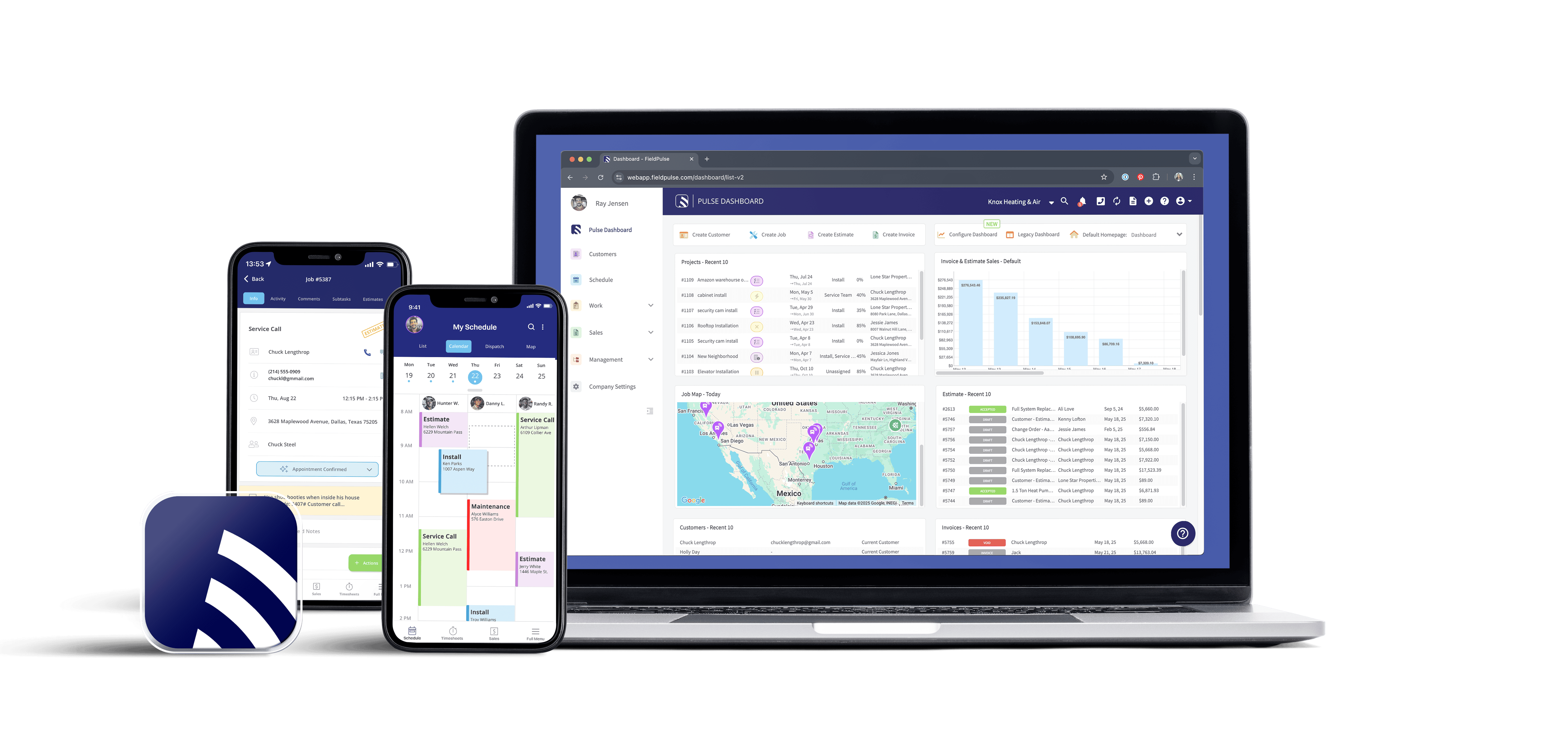
"The main reason we chose FieldPulse is because of their great reviews. They were ranked highest on every platform for Field Service Management. I chose it over ServiceTitan because of the price and ease of implementation. FieldEdge didn’t have great reviews and seemed to be more of a legacy software. The others because FieldPulse was more robust and offered more features and customization." - Davis M.
FieldPulse is a field service management software built for small to mid-sized teams that manage 5 – 200 employees.
It serves commercial , residential , and franchise businesses in trades such as HVAC, plumbing, appliance repair, electrical, garage door, and property management.
As a FieldEdge and ServiceTitan alternative, FieldPulse gives you flexible solutions to manage your jobs, technicians, and payments from a single connected system.
Here’s how FieldPulse features improve your field service operations:
Smart Scheduling & Dispatching to Complete More Jobs On-Time
Many small teams rely on spreadsheets to schedule jobs and assign technicians. This leads to double bookings, missed appointments, and delayed services.
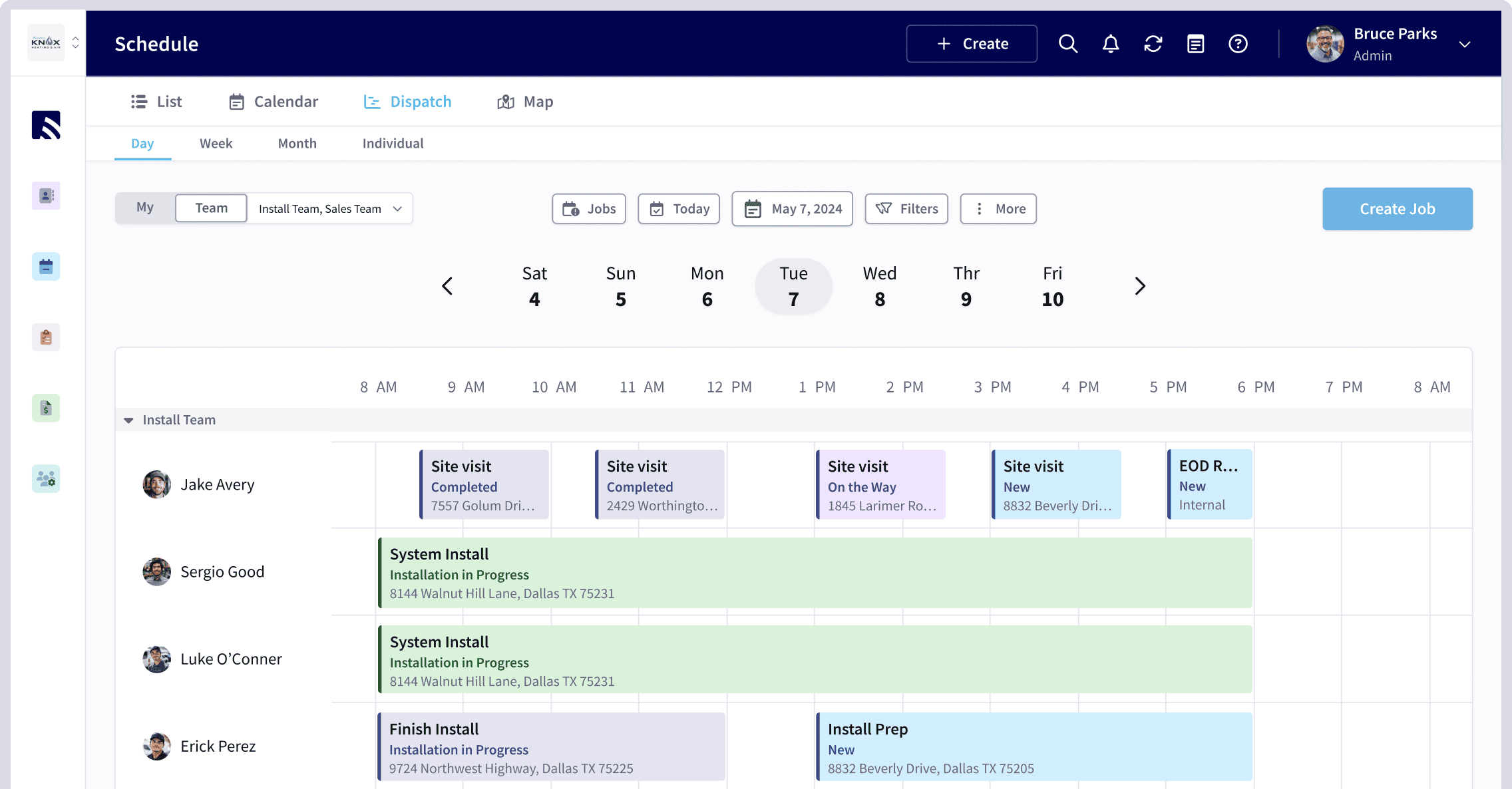
FieldPulse’s scheduling software gives you control and visibility, so you can see every technician, appointment, and open slot in one connected workspace.
Our software adapts to your unique workflows with multiple visual calendar views, allowing you to manage schedules in the format that suits you best.
- Calendar view: Get a clear overview of all upcoming jobs, color-coded by status, so you can instantly spot availability and workload.
- Map view: See technician locations and job sites on a map to plan efficient routes and reduce windshield time.
- List or Timeline view: Organize jobs by workload or priority to balance assignments and stay on schedule.
This helps you book more jobs and dispatch smarter in real-time. With our built-in GPS-based location tracking, FieldPulse helps you assign the right technician on time.
When a service call comes in, the software lets you filter out every technician’s skillset, location, and availability. You can use our drag-and-drop scheduling tool to assign or adjust the schedule without risking scheduling conflicts.
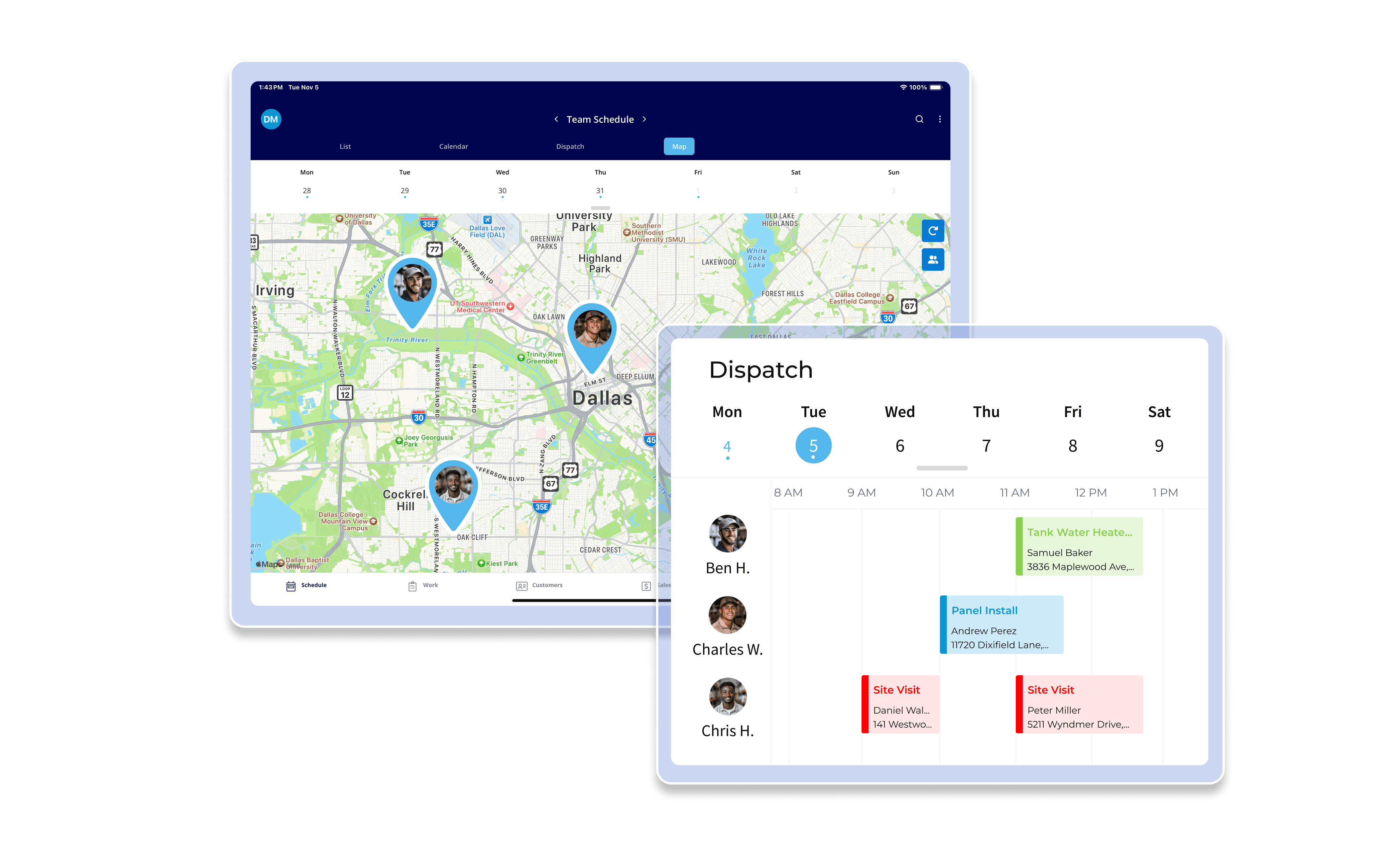
Once you drag a job to a new time or technician, FieldPulse instantly updates the schedule for everyone. The system syncs automatically across web and mobile.
In case of emergency calls or same-day requests, our software helps you handle the appointments in real-time. The smart dispatching feature suggests open time slots and available technicians automatically. This reduces back-and-forth communication.
Customers and field staff receive instant notifications when schedules change, allowing you to stay organized and close more jobs.
Custom Workflows to Standardize Your Job Stages
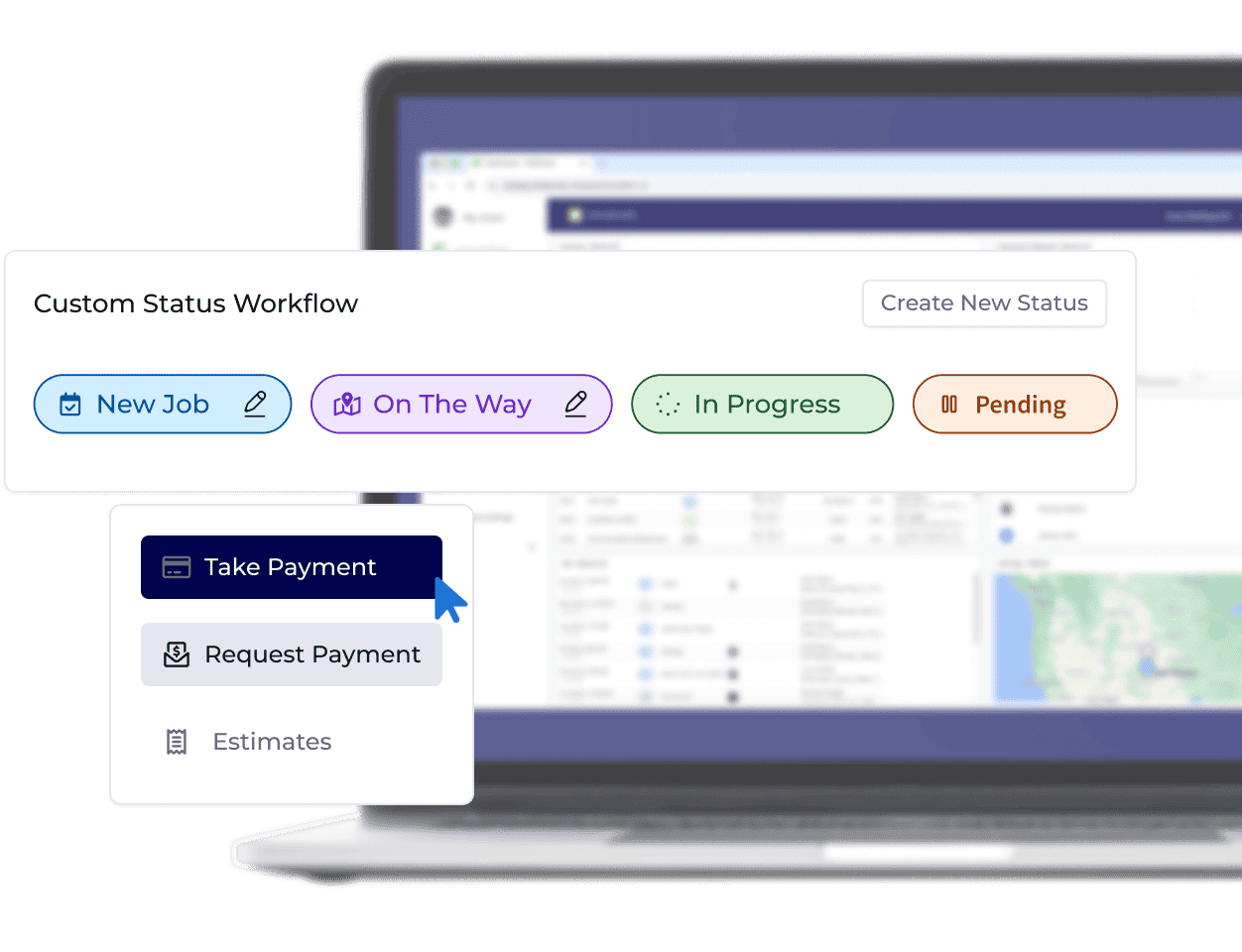
Many small field service teams struggle with inconsistent job handling, missed steps, and communication gaps.
FieldPulse provides custom workflows so your team can track progress consistently across different job types. The software lets you create unique paths for installations, maintenance, or emergency calls.
Each workflow can be customized to reflect your team’s structure and service types. These can also include specific actions or checkpoints, so technicians always know what’s expected before moving on to the next task.
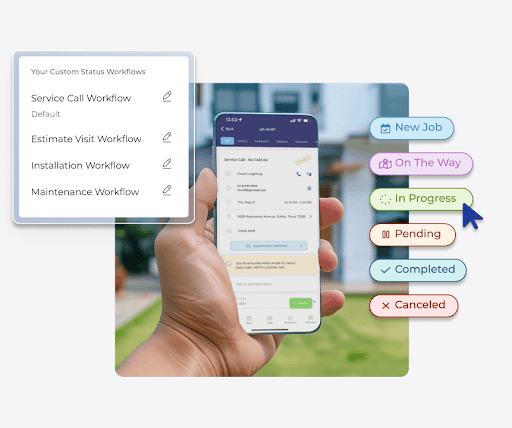
For example, if an HVAC company wants to standardize specific AC repair workflows, it can create a custom workflow on FieldPulse. The workflows may include Diagnosis Scheduled → Technician En Route → Repair In Progress → Quality Check → Job Completed, so every repair job follows the same clear path from start to finish.
Unlike FieldEdge, which locks you into predefined templates, FieldPulse matches how your team actually operates by defining each stage of the job. This helps you clarify responsibilities, improve accountability , and keep every project moving forward.
Estimates and Invoicing to Quote Accurately
Relying on handwritten quotes or manual spreadsheets leads to pricing errors, lost paperwork, and delayed payments.
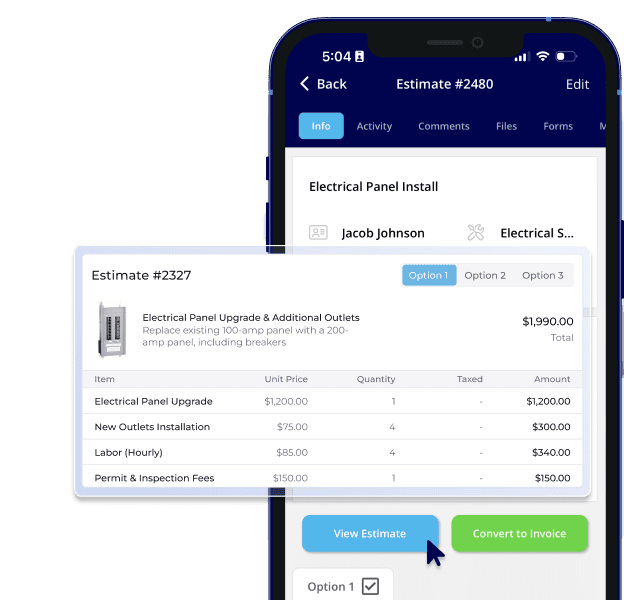
FieldPulse lets you build estimates and invoices directly on the platform. Our software offers three ways to create professional estimates:
- From the customer record: Open the customer profile, select “Actions”, and choose “Create Estimate” to generate a quote directly from their account.
- From the estimates tab: Go to the “Estimates” section in the left-side menu and click “Create Estimate” to start a new one from scratch.
- From a job record: Open an existing job, select “Actions”, and choose “Create Estimate” to link the quote directly to that job.
This flexibility lets your team work the way they want, whether they’re in the office building proposals or out in the field finishing a job.
Each estimate automatically pulls in customer details, job information, and items from your Pricebook , so that pricing stays accurate and uniform across your team.
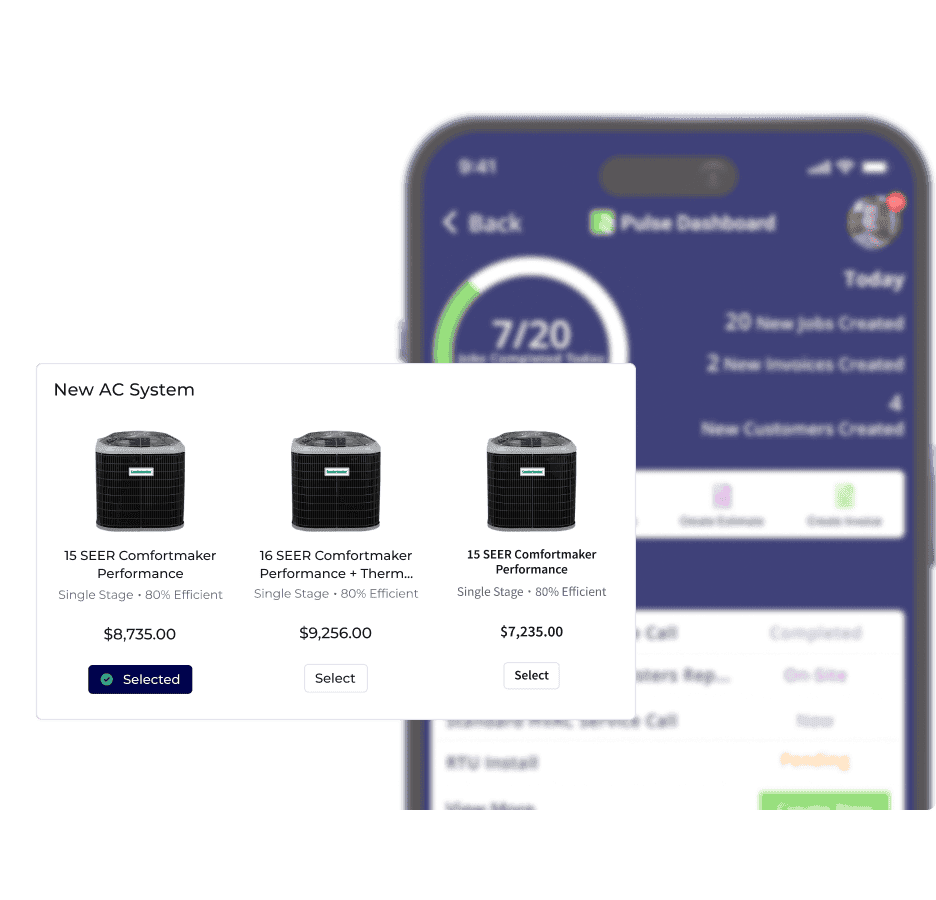
This allows your technicians to build detailed quotes in minutes with preloaded materials, labor rates, and service packages. Your team can also add upselling options, like good-better-best, to give customers clear choices that increase sales opportunities.
As a ServiceTitan alternative , FieldPulse makes it easy to collect approvals from customers on-site. As soon as technicians build an estimate, they can send it directly to the customer via email. The customer can review the estimate for approval.
Once approved, estimates can be instantly converted into professional invoices, saving time and reducing the risk of re-entry errors. This helps you quote accurately, bill faster, and finish jobs without any delays.
FieldPulse Payments for Faster Billing
Many teams rely on third-party payment processors to complete customer payments, leading to delays, manual reconciliation, and poor visibility.
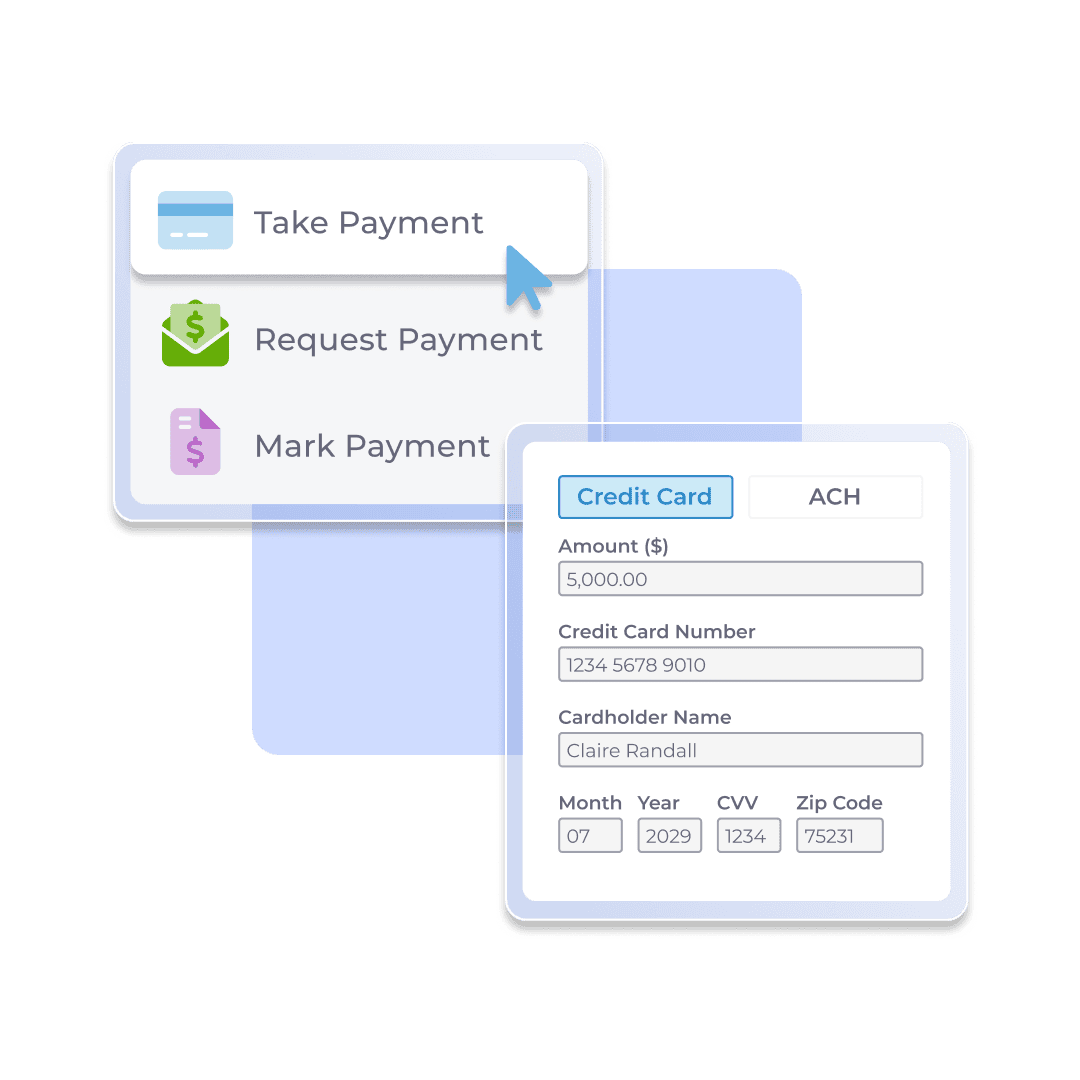
With FieldPulse Payments , you can accept and track payments directly in the FieldPulse platform. It supports multiple payment methods, including credit cards, debit cards, and ACH transfers.
When customers receive an invoice, they can pay instantly through a secure “Pay Invoice” link sent by email.
For in-person jobs, technicians can process payments on-site by entering, scanning, or swiping card details through the FieldPulse mobile app.
Each transaction syncs automatically with the associated job and customer record, keeping financial data organized and up to date.
FieldPulse also supports Next-Day Funding, so funds from card or validated ACH payments are available quickly. This helps you maintain a steady cash flow.
If you want to manage some payments manually, our software lets you mark check or cash payments, record partial payments, and track outstanding balances in real-time.
With all payments captured in one system, your team can view detailed reports by method, customer, or technician directly from the Payments tab.
Inventory Management to Avoid Job Delays
Without a centralized system, materials go untracked, technicians show up unprepared, and managers lose sight of what’s in stock.
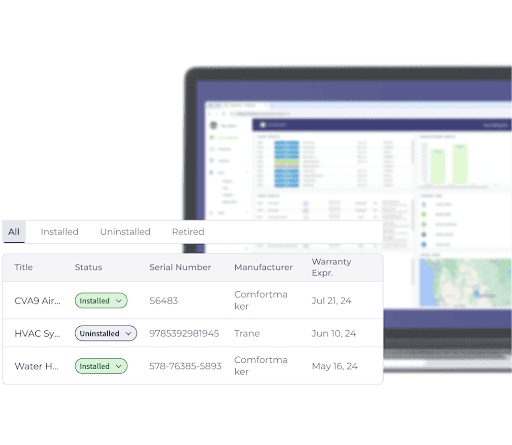
FieldPulse’s inventory management feature helps teams track parts across warehouses, vehicles, and job sites, so everyone knows what’s available and where it is.
As parts are used or sold, FieldPulse automatically updates your inventory levels in real-time. This prevents stock shortages, reduces over-ordering, and helps you maintain optimal supply levels.
FieldPulse integrates inventory with your pricebook to improve the quoting process. When techs build estimates or proposals, materials and costs are already filled in automatically. This helps you avoid missed charges or underbilling.
Every part used on the job is tracked and billed correctly, protecting your margins and giving you total financial transparency.
You can also set custom reorder thresholds and track high-use parts automatically, so your team never runs out of the materials they rely on most. This helps you stock on time and forecast demand based on past job data and seasonal trends.
Built-in CRM to Manage Customer Relationships
If your customer data is scattered across emails and spreadsheets, you’re likely to miss follow-ups, lose track of service history, and waste valuable time.
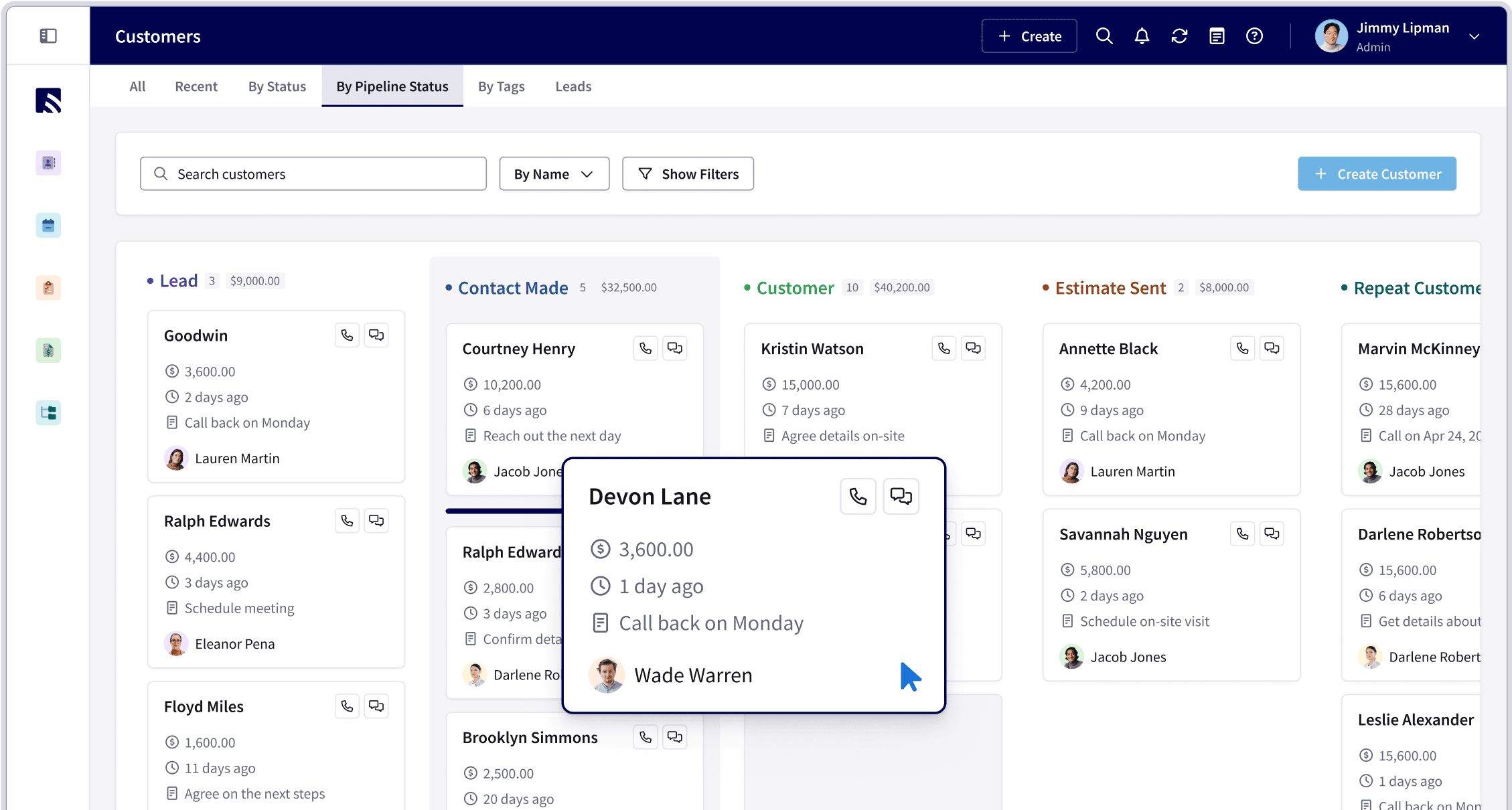
FieldPulse supports a built-in CRM that consolidates your customer data, including contact details, service history, quotes, invoices, equipment records, and notes in one place.
When a customer books an appointment through the FieldPulse booking portal, the software automatically stores their information in a searchable database. This helps technicians personalize service, reference past issues, and build trust through consistency.
FieldPulse also streamlines customer communication . It logs all your customer interactions, including calls, texts, and emails, in the same dashboard. This makes it easy to track what’s been discussed, when follow-ups are due, and who on your team last contacted the customer.
When it’s time to schedule the next service or send an estimate, everything connects automatically. Your team can create new jobs, add notes, or link invoices right from the customer record, so you can improve your repeat business.
Real-Time Dashboards for Advanced Reporting
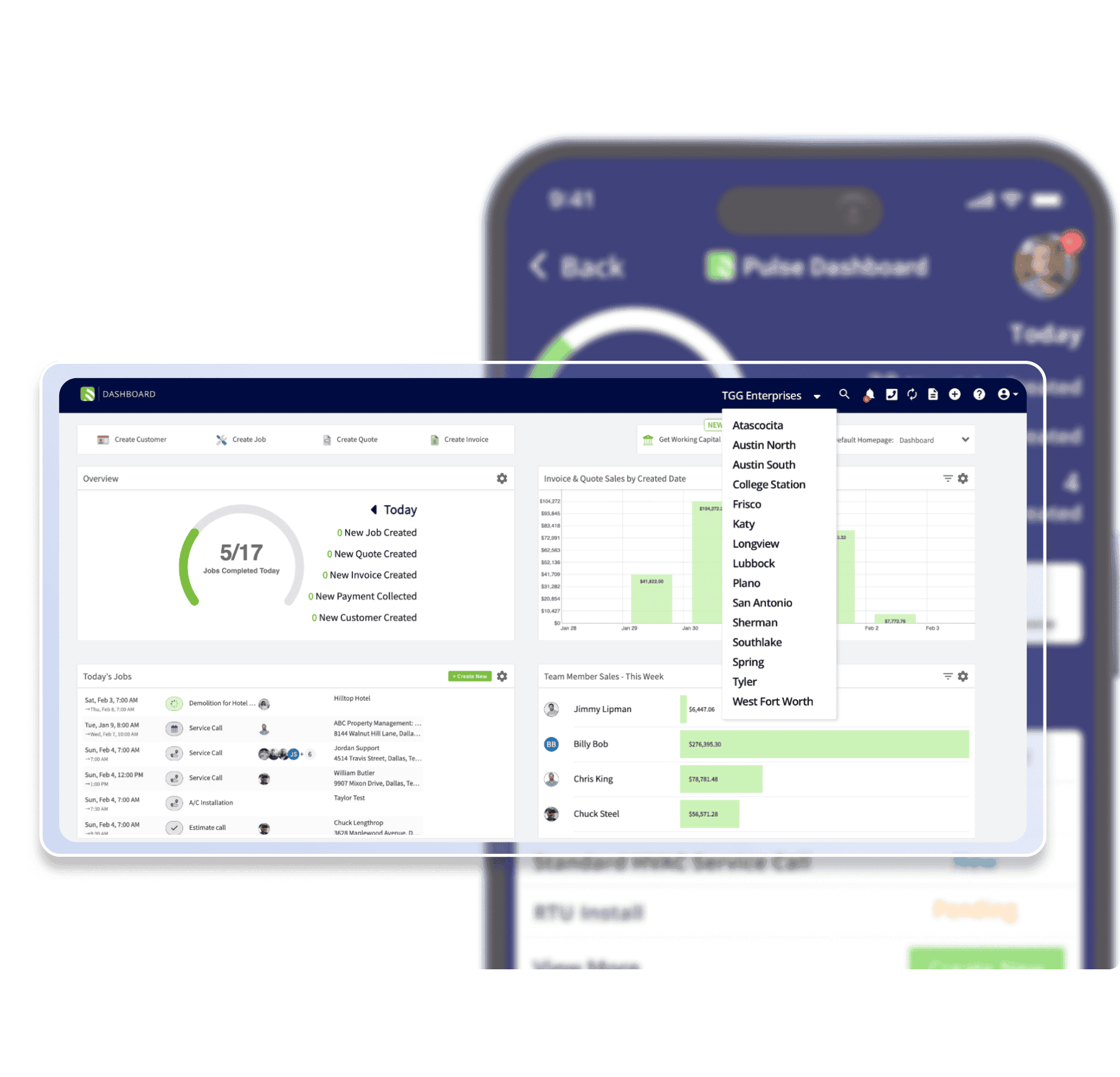
Without a centralized dashboard, it’s hard to track job profitability, revenue growth, expenses, and technician performance.
FieldPulse’s dashboard and reporting features give you real-time visibility and a unified view of your business. You can track jobs, quotes, invoices, payments, and team activity. This gives you more control over your field service operations.
You can configure widgets to monitor key metrics like payments collected, sales by date, job status trends, and performance figures.
Each widget pulls real-time data directly from your jobs, estimates, and invoices, giving you a clear picture of performance at every level.
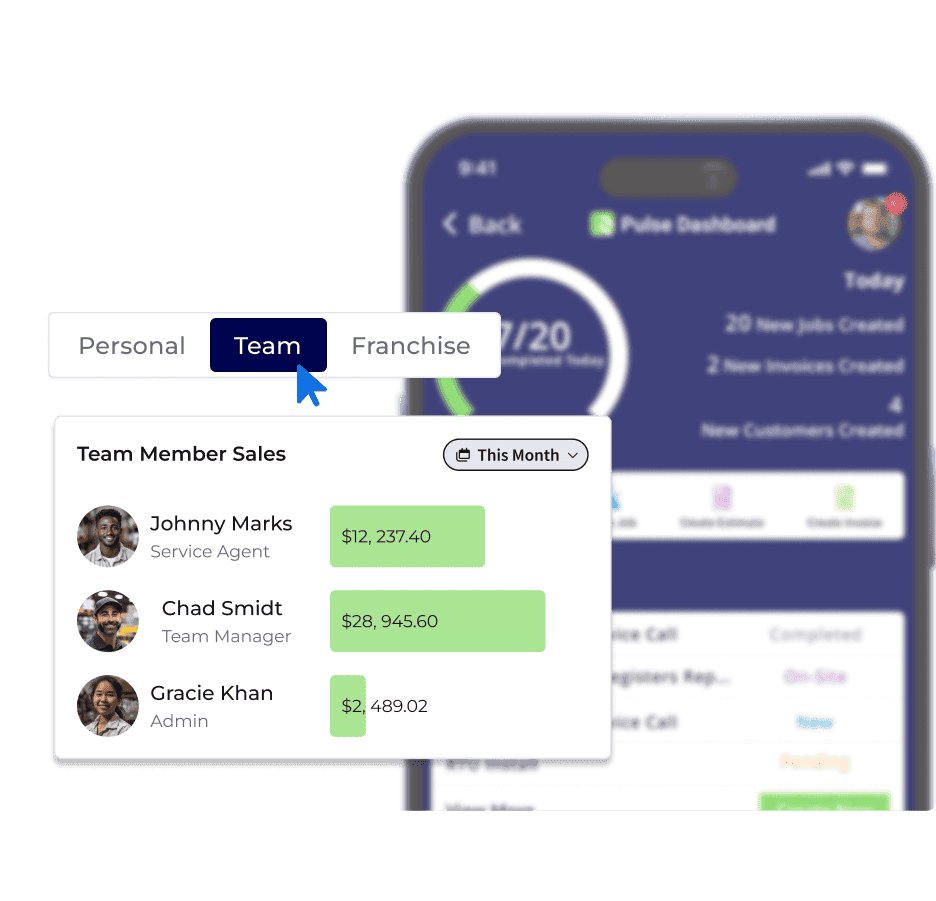
FieldPulse also supports Raw Data Reporting tools for deeper analysis. You can pull tailored reports across many record types, such as jobs, invoices, payments, and timesheets, to share with your stakeholders or audit teams.
These actionable insights help you see your business clearly, make decisions faster, and plan ahead.
FieldPulse Integrations to Reduce Manual Reconciliation
Many FieldEdge users tend to struggle with QuickBooks integration, while ServiceTitan users complain that the platform’s integration can be too complicated.
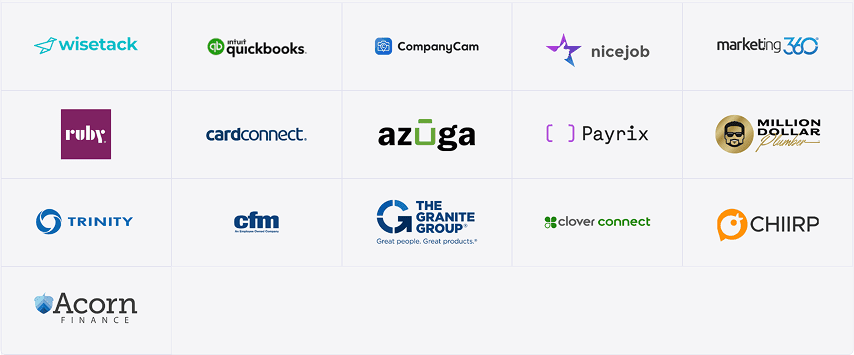
FieldPulse supports integrations with multiple platforms, including QuickBooks , Wisetack, NiceJob, MillionDollarPlumber, and Trinity.
The software supports OpenAPI, allowing you to connect your custom external systems easily. Our customer support assists you with onboarding your existing systems into FieldPulse without disrupting your daily operations.
FieldPulse’s QuickBooks integration is widely praised by users . Our software automatically syncs invoices, payments, customers, line items, and estimates without needing manual export/import. This speeds up invoice processing and reduces data entry errors.
FieldPulse Mobile App for Technicians On The Go
Many field technicians struggle with managing multiple job appointments, workflows, customer details, and invoicing without a centralized system.
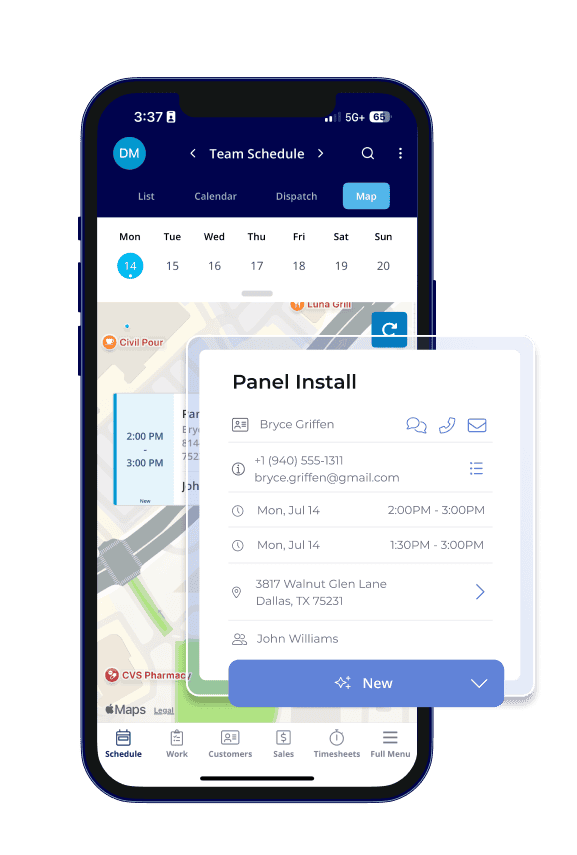
The FieldPulse mobile app provides every job detail, customer record, schedule change, and payment options at your fingertips.
Here’s how the FieldPulse mobile app streamlines field service operations for your team:
- View your schedule in multiple formats and tap into job details from any view.
- Access complete job records.
- Clock in and out using general or job-specific timesheets.
- Create estimates, invoices, and process payments on-site.
- Send customer updates via SMS.
- Work offline with automatic syncing once connectivity is restored.
- Customize job tile displays and filter jobs by status directly within the app.
FieldPulse Pros and Cons
Pros
- Easy to use
- Faster onboarding process
- Supports custom job workflows
- Offers drag-and-drop scheduling tools
- Provides GPS-based location tracking
- Supports smart dispatching tools
- Automates recurring job scheduling
- Supports built-in CRM
- Offers inventory management and tracking
- Provides real-time tracking and visibility
- Supports pricebook
- Offers estimate and invoice processing
- Supports payment processing system
- Provides real-time dashboards and reporting tools
- Integrates with multiple systems
- Supports an OpenAPI
- Offers a native mobile app
- 24/7 customer support
Cons
- Learning curve for new users, but the customer support team is there to help
FieldPulse Pricing
FieldPulse offers three pricing plans: Essential, Professional, and Enterprise, depending on your business size and feature needs. Contact our team to get a custom quote.
FieldPulse Reviews
Review #1 : “FieldPulse is a very intuitive program that allows novice users to enter customers, invoice, and schedule jobs. The support staff is willing to create custom video clips that relate if any issues arise.” – User.
Review #2 : “Before FieldPulse, I was using five or six programs to keep track of all aspects of a job. Now I only need this and QuickBooks, which is just to manage our operational transactions. The customer support for onboarding was amazing.” – Rachel S.
FieldPulse Rating
Quick Comparison Table: FieldEdge vs. ServiceTitan vs. FieldPulse
Platform Best For Key Features Overall Rating FieldEdge Small to mid-sized U.S.-based home service contractors (HVAC, plumbing, electrical, appliance repair) QuickBooks integration, smart scheduling and dispatching, built-in payment processing, customer and service agreement management ⭐ 4.2/5 ServiceTitan Mid to large-sized residential and commercial service contractors across multiple trades Automated scheduling and dispatching, advanced reporting and job costing, customer experience tools, OpenAPI, and integrations ⭐ 4.5/5 FieldPulse Small to mid-sized teams with 5–200 employees needing flexibility and customizable workflows Custom job workflows, drag-and-drop scheduling, GPS-based tracking, dispatching tools, built-in CRM, integrated estimates and invoice processing, FieldPulse Payments, and real-time dashboards and reporting ⭐ 4.7/5
FieldEdge vs. ServiceTitan: Which Is Best for Your Field Service Operations?
Choosing between FieldEdge and ServiceTitan depends on your business size, feature needs, and number of users.
FieldEdge is best for small to mid-sized businesses that want an easy-to-use system with QuickBooks integration and solid scheduling, invoicing, and payment tools.
Choose ServiceTitan if you’re a growing company that needs advanced automation, detailed analytics, and customer experience tools to scale operations efficiently.
FieldPulse Is the Best Field Service Tool for SMBs That Need Flexibility and Customizability
FieldPulse is the best field service management software for small to mid-sized teams seeking flexibility, custom workflows, and quick onboarding.
It offers features like scheduling and dispatching, built-in CRM, dynamic pricebook, invoicing, integrated payment options, and customizable dashboards. The mobile app makes it easy for technicians and office teams to keep track of everything and stay organized.
This helps you book more jobs, collect payments on-site, and grow your business with confidence.
Book a demo to learn how FieldPulse gives you real-time visibility and control, so you can scale your business with confidence.