7 Best Software for Small Plumbing Businesses in 2026 (Tested & Compared)
Discover the 7 best software for small plumbing businesses. Compare key features and pricing to find the right tool for your business goals and team needs.
Oct 13, 2025

Share


Managing a small plumbing business manually leads to schedule conflicts, unpaid invoices, and revenue loss.
Plumbing software can help you manage your small teams by streamlining schedules, jobs, and invoices with real-time visibility and control. But with so many options, choosing the right plumbing software is hard.
This article reviews the 7 best software for small plumbing businesses, including key features and pricing plans.
We will also share features to look for so you can choose the right tool that fits your business needs.
FieldPulse
FieldPulse is a field service management software for small to mid-sized plumbing businesses in residential and commercial industries that manage 5-200+ employees.
Our software provides features to handle technicians, customers, and jobs from a single dashboard. This helps you reduce admin work and gain control and visibility, helping you run a profitable business.
Here’s how FieldPulse makes running your plumbing business smoother and more efficient:
Scheduling and Dispatching to Streamline Daily Plumbing Jobs
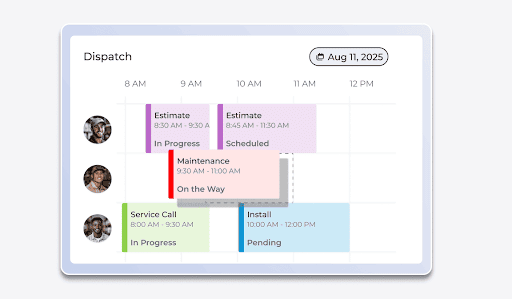
If you’re using spreadsheets and messaging apps to manage plumbing jobs, you’re likely to face double bookings, job delays, and miscommunication.
FieldPulse offers scheduling and dispatching tools to streamline your plumbing jobs. Instead of juggling multiple apps or paper calendars, you get a single dashboard where you can view technician availability, assign jobs, and track progress in real-time.
FieldPulse supports a drag-and-drop interface, real-time GPS tracking , and multiple calendar views to simplify scheduling tasks.
- Color-coded workflows: Track the status of each job at a glance, like Scheduled, In Progress, or Completed.
- Team and individual filtering: View schedules of one technician or specific crews, such as an install team vs. a service team.
- Multiple viewing options: Switch between daily or weekly layouts for planning, a Gantt chart for tracking long-term projects, a dispatch view to see technicians side-by-side, or a map view to visualize job locations and routes.
These flexible options make it easy to stay on top of your team’s movements and adjust schedules if needed.
When a customer calls or books an appointment, your office team can instantly drag a technician’s profile and assign it to the job with the customer’s details.
You can also use our smart availability tool to automate scheduling. The system matches the right technician based on skills, location, and availability, saving time and reducing scheduling errors.
For example, if a burst pipe call comes in, you can instantly see which plumber is closest and has the right skills, then assign the job on the spot. The customer gets an update, and your technician is on the way within minutes.
Custom Workflows to Standardize Plumbing Services
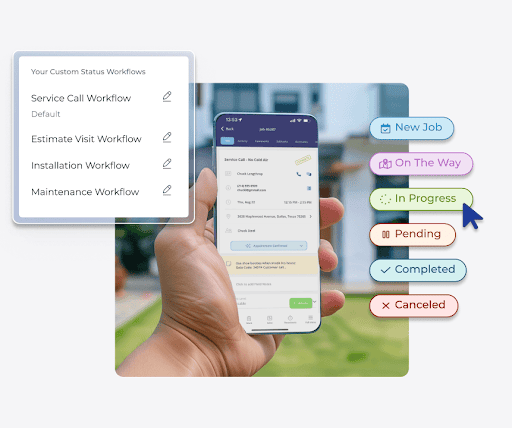
Small plumbing companies often handle a wide range of services, from emergency repairs to long-term installations. Without custom workflows, technicians rely on memory or paper notes, leading to inconsistent service.
FieldPulse lets you set custom workflows for different job types with an individual sequence of tasks, checklists, and requirements. This gives your technicians a clear, step-by-step guide, reducing errors.
Here’s how FieldPulse helps you standardize your plumbing services:
- Create unique workflows by job type: Build separate workflows for installs, repairs, maintenance, or emergencies, so technicians follow the exact steps required.
- Define custom job statuses: Add stages like “Parts Needed,” “In Progress,” or “Waiting on Inspection” to track progress clearly.
- Attach checklists and required tasks: Include mandatory steps such as safety checks, photos, or signatures before a job can move forward.
- Automate notifications and actions: Trigger alerts when jobs hit certain stages, like sending updates to customers or reminders to technicians.
- Standardize documentation: Collect consistent data like job notes, estimates, and completion photos directly within each workflow.
- Simplify training for new hires: Give new technicians ready-made workflows to follow, so they meet company standards from day one.
For example, a water heater installation workflow might start with a site inspection and include steps for shutting off the main water line and testing pressure. You can add requirements like a customer signature and photos before technicians mark the job as complete.
This helps your small team provide a more personalized and quality service tailored to your customers’ needs.
Inventory Management to Track All Material Usage
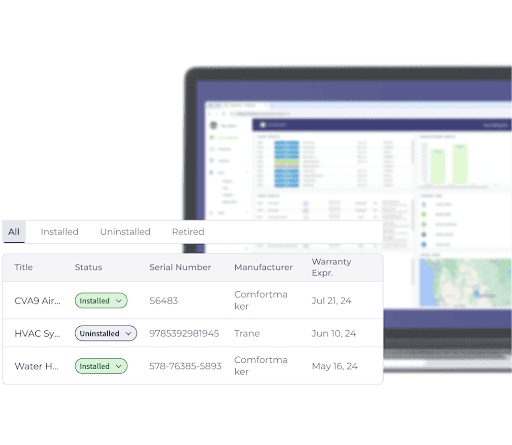
Small teams that use spreadsheets to track materials lack visibility into their usage, costs, and stock levels.
FieldPulse offers inventory management to help you track your material costs, usage, and stock levels in real-time. Our software consolidates all your inventory data into a centralized system with real-time tracking tools.
Each part can be linked directly to a specific job, giving you a clear picture of what’s being used and where. When your team schedules a job, they can assign the exact parts needed so technicians arrive fully prepared.
As parts are used in the field, technicians can log them directly through the FieldPulse mobile app by selecting the job they’re working on. This automatically updates your stock levels, adds the materials to the invoice, and keeps your inventory records accurate.
You can also set automated low-stock alerts. When your inventory is running low, FieldPulse automatically creates a purchase order and sends it to the vendor. This saves you the time and effort of manual restocking.
If a high-value item requires special tracking during a job, FieldPulse supports barcode scanning and serial number tracking, so you know exactly which part was used and by whom.
This helps you maintain inventory visibility and control costs as you grow.
Estimates and Invoices with Standardized Pricing to Bill Accurately
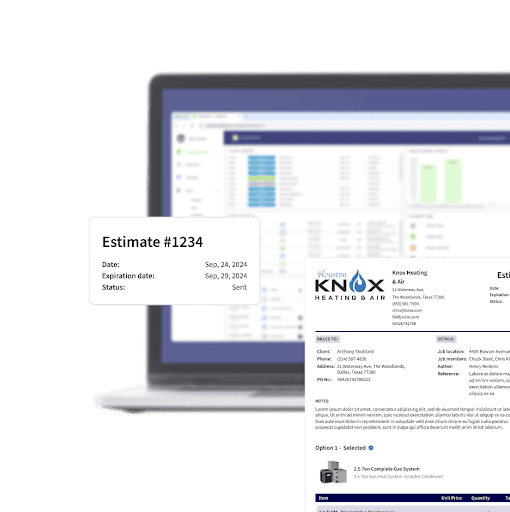
Paper-based invoices and manual quotes lead to inconsistent pricing, payment delays, and disputes.
FieldPulse lets you build and send professional estimates and invoices from one connected system. Instead of relying on handwritten forms or scattered spreadsheets, your team can create digital estimates that are branded with your company’s logo and details.
FieldPulse includes a pricebook feature to help you preset prices for all your services, parts, and labor rates. This allows every technician to quote jobs using the same rates. You can also add descriptions, photos, and tiered options such as Good, Better, Best packages to give customers clear choices and create upsell opportunities.
The estimates can be sent directly to customers by email or text for quick review and approval, whether they’re at home or on-site.
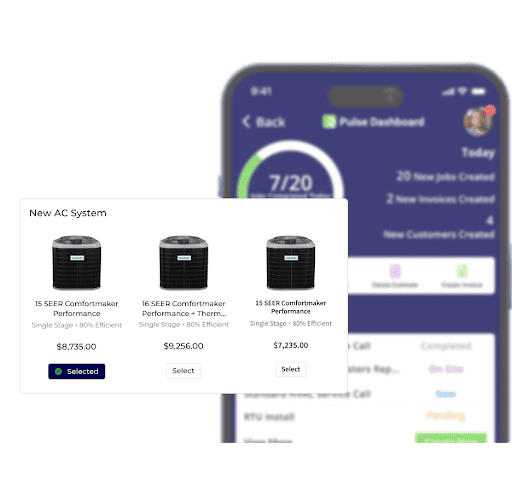
If you’re doing a larger or more complex job, FieldPulse lets you create professional proposals using items directly from the pricebook. These proposals give customers a clear, detailed breakdown of services and costs, making it easier to build trust and close deals quickly.
Once a job is completed, FieldPulse converts the estimate into an invoice with just one click. During this process, all parts, services, and labor costs are automatically captured. Customers receive clear, detailed invoices that reduce disputes and help you get paid faster.
FieldPulse Payments to Get Paid Faster
Juggling multiple tools to manage your plumbing business leads to scattered data, inaccuracies, and delays.
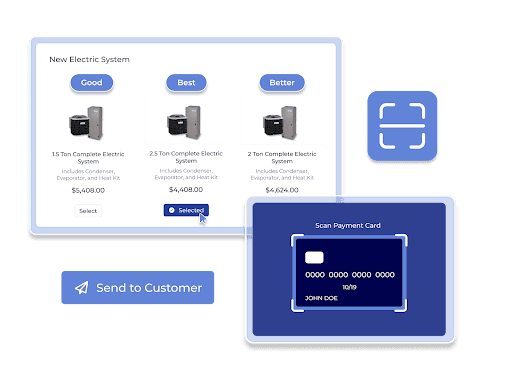
FieldPulse offers a built-in payments feature that allows your technicians to collect payments on-site. This keeps your entire billing process connected to the same system used for scheduling, estimates, and invoices.
With FieldPulse Payments, you can:
- Collect payments anywhere: Send secure payment links by email or text, giving customers the choice to pay online.
- Offer flexible payment options: Process credit card and ACH payments directly from the FieldPulse mobile app in the field or through the desktop dashboard at the office.
- Update records automatically: Payments are instantly synced with the related invoice and customer profile, reducing errors and saving valuable admin time.
- Get faster deposits: Offer next-day funding to improve cash flow and keep your operations running smoothly.
- Track transactions in real-time: View all payment activity, including paid, pending, and overdue balances, from one centralized dashboard.
This helps you collect payments faster and give your customers a professional experience.
Customer Management to Personalize Services
When customer data is scattered across emails, messages, and spreadsheets, it’s hard to provide personalized services.
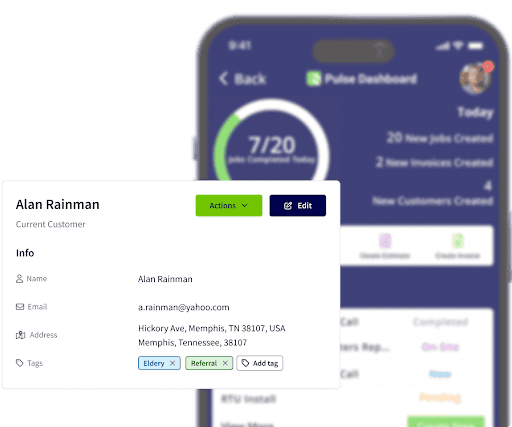
FieldPulse centralizes all customer data in one platform, giving your team instant access to contact details, job history, and communication records. This creates a single source of truth for every interaction and helps you deliver reliable, professional service.
Here’s how FieldPulse simplifies customer management:
Create detailed profiles: Store contact information, addresses, and multiple locations under a single customer record.
- Track customer lifecycle: Mark customers as leads, active, or lost to prioritize follow-ups and sales opportunities.
- Add tags for organization: Use custom tags to sort customers by service type, priority, or location.
- Link jobs and billing: Connect jobs, estimates, and invoices directly to the customer profile for a complete history.
- Keep notes and files in one place: Attach internal notes, photos, and documents for quick reference before each job.
Customer Communication to Build Trust
When updates are handled through scattered texts and calls, it leads to confusion, missed appointments, and late payments.
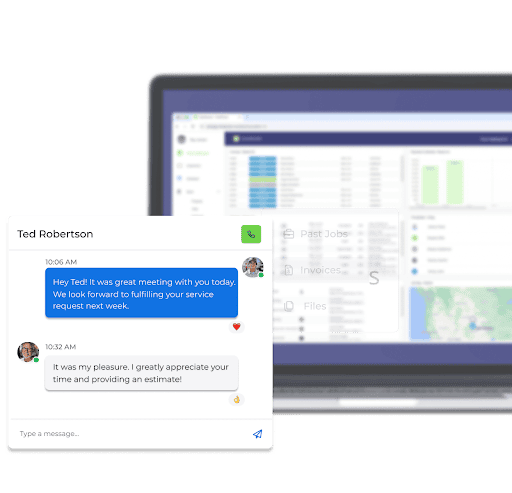
FieldPulse streamlines customer communication by connecting it directly to your jobs and customer profiles. Instead of jumping between apps, your team can send notifications, share updates, and capture approvals from a single dashboard.
You can use pre-built SMS and email templates with personalization options for each customer and job. For example, when a technician updates job status, the system sends “On My Way” texts to customers to stay informed.
All messages are logged within the customer’s profile, creating a complete communication history for your entire team. You can review all outbound messages, filter them by type, and check their delivery status, like delivered, opened, clicked, or bounced.
Based on this data, you can set automated follow-ups, request online reviews, or send reminders for recurring maintenance services. This helps you maintain repeat business and build trust among customers.
FieldPulse Mobile App for Plumbers On the Go
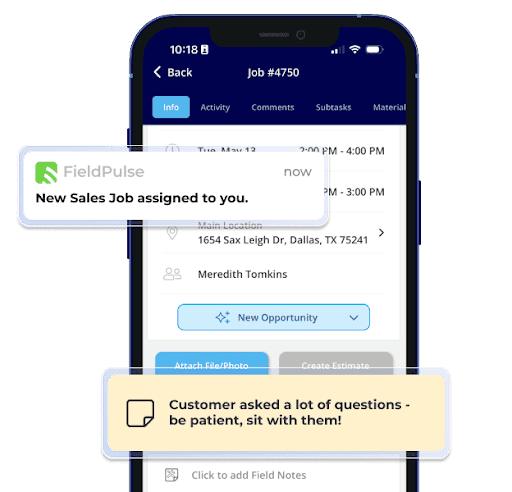
Without a mobile app, plumbers rely on calls, messages, and paper notes to get job details, customer information, and schedules. This leads to miscommunication, job delays, and inconsistent services.
FieldPulse’s mobile app gives your team everything they need to manage jobs and customers from the field in real-time. Technicians can pull up schedules, customer information, and job details directly on their phones.
With our mobile app, technicians can:
View schedules and routes: See daily job lists and navigate directly to job locations with integrated map views.
- Access full job details: Instantly review customer history, notes, photos, and special instructions before arriving on-site.
- Capture information in the field: Add job notes, upload before-and-after photos, and collect digital signatures directly from customers.
- Create estimates and invoices on-site: Build estimates, convert them into invoices, and process payments right from the job site.
- Work offline in low-signal areas: Continue logging job updates without an internet connection, with data automatically syncing once you’re back online.
As your field team updates via the mobile app, your office team can monitor the workflows in real-time and apply changes from the desktop.
Reporting Dashboard to Track All Your Jobs, Teams, and Invoices
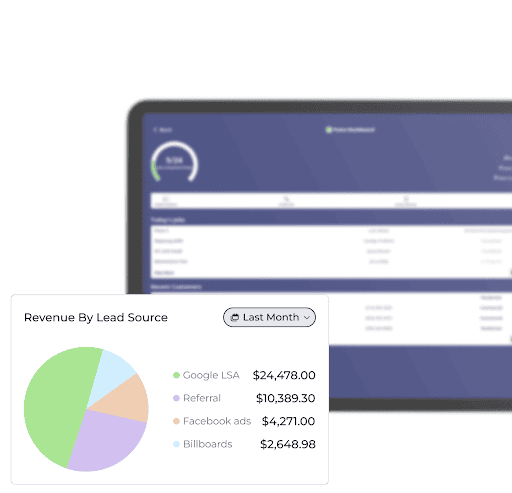
Without a centralized dashboard, it’s hard to track revenue, job completion rates, technician productivity, or outstanding invoices.
FieldPulse’s dashboard serves as your business control center. It consolidates essential metrics, like job statuses, team performance, revenue, and invoices, into a customizable view.
You can tailor the dashboard layout using an easy drag-and-drop interface to replace, reposition, or hide widgets. Whether you're viewing by technician, team, or job type, you can personalize dashboards to focus on critical areas.
FieldPulse also lets you assess your business health through pre-built or custom financial reports. These include revenue tracking, job profitability, and expense breakdowns. You can use this data to make smarter pricing and budgeting decisions.
FieldPulse Integrations
Managing disconnected tools leads to scattered data, costly delays, data inaccuracies, and revenue loss.
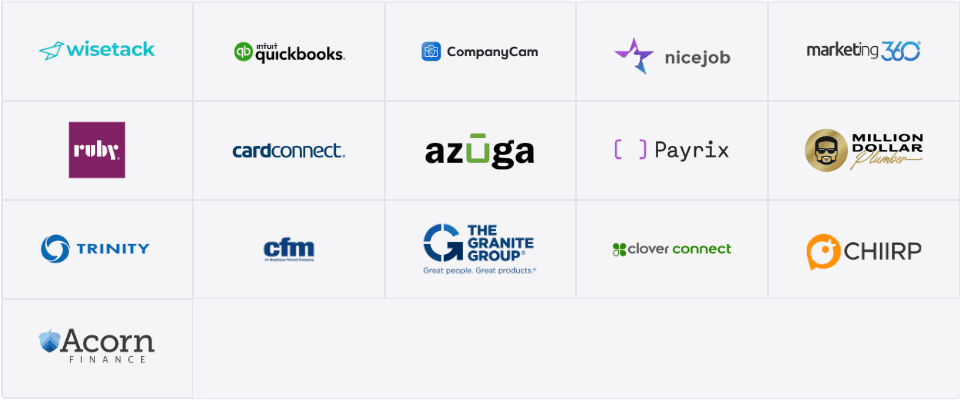
FieldPulse integrates with your existing systems, allowing you to sync critical data, such as customer profiles, invoices, and payments, in a single dashboard.
Some of the integration options supported by FieldPulse include:
This keeps your data organized and searchable, and teams waste less time juggling multiple tools and focus more on booking more jobs, upselling, or planning budgets.
FieldPulse Pros and Cons
Pros
- User-friendly interface
- Fast onboarding process
- 24/7 customer support team
- Custom job workflows
- Drag-and-drop scheduling
- GPS-based tracking and route optimization
- Real-time job status updates
- Built-in CRM and communication tools
- Pricebook for standardized pricing
- Estimates and invoices
- Professional proposal builder
- Payment processing platform
- Customer booking portal
- Work order management
- Automated notifications and reminders
- Inventory tracking and management
- Personalized dashboards
- Role-based access
- Mobile app with offline access
Cons
- Learning curve for advanced features, but the support team can help you onboard
- Some integrations may require extra setup or workarounds
FieldPulse Pricing
FieldPulse offers three pricing plans : Essentials, Professional, and Enterprise. You can contact us to get custom quotes.
FieldPulse Reviews
Review #1: “We have found FieldPulse to be great at helping us manage our jobs. We have gone from an Excel spreadsheet to using FieldPulse and it has streamlined our business...” – Cathy D.
Review #2: “The amount of customization you have for how you want your services to look or function is fantastic. If you do have questions the self help guides are great and the customer service of the support staff are excellent.” – Alex F.
FieldPulse Rating
4.7 stars on G2
4.6 stars on Capterra
Housecall Pro

Housecall Pro is a field service management software designed for small to mid-sized plumbing businesses. It helps teams handle scheduled jobs, emergency calls, estimates, and invoicing from a single dashboard.
Read more: Housecall Pro vs. Jobber
Housecall Pro Key Features
Here are the key features of Housecall Pro:
- Offers one-click digital invoicing with automatic reminders
- Provides secure credit card and bank payment options
- Supports job scheduling, dispatching, and calendar management
- Creates estimates that easily convert to approved jobs
- Offers flat-rate pricing tools with QuickBooks sync
- Automates work order pipeline
- Provides reporting and dashboards to track business performance
- Automates customer review requests and management
- Supports a VoIP phone system for call tracking and routing
- Offers a customer portal for payments and job history
- Provides full reporting and dashboards
Housecall Pro Pricing
Housecall Pro pricing plans start at $79 per month per user.
Jobber
Jobber is a field service management software for small to mid-sized home service businesses, like plumbing. The platform offers mobile access and tools in job scheduling and dispatching.
See also: Jobber Alternatives
Jobber Key Features
Here are the key features of Jobber:
- Offers scheduling and dispatching
- Supports a customizable calendar
- Offers map and routing tools
- Provides real-time progress tracking
- Supports quote approvals and follow-ups
- Provides a mobile app
- Allows invoicing and payments
- Supports built-in CRM
- Automates customer reminders
- Offers real-time dashboards and built-in business reports
- Provides a custom website builder
- Automates customer communication
- Provides AI tools (AI Receptionist, Copilot)
Jobber Pricing
Jobber offers three pricing plans:
- Grow: $199/month for 1 user
- Connect: $119/month for 1 user
- Core: $39/month for 1 user
FieldEdge
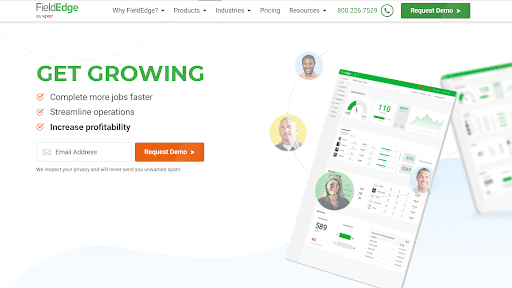
FieldEdge is a plumbing software built for small to mid-sized contractor companies with field technicians. It offers dispatching tools, mobile access, and QuickBooks integration.
See also: FieldEdge Alternatives
FieldEdge Key Features
Here are the key features of FieldEdge:
- Provides dynamic dispatching
- Offers a flat-rate pricebook and Good, Better, Best upsells
- Automates syncing with QuickBooks
- Supports service agreements with reminders and renewals
- Provides mobile app access for techs
- Offers performance dashboards for real-time tracking
- Offers customer history and equipment tracking
- Includes integrated payments and mobile payment processing
FieldEdge Pricing
FieldEdge offers custom pricing plans based on your business size and feature needs.
ServiceTitan
ServiceTitan is a field service management platform designed for growing plumbing businesses . This software is best for companies with multiple field technicians and an office support team needing coordination.
Read more: ServiceTitan Alternatives
ServiceTitan Key Features
Here are the key features of ServiceTitan
- Provides scheduling tools with drag-and-drop dispatch
- Supports a robust mobile app
- Tracks equipment history
- Provides job costing tools
- Supports customer portal, SMS/email, tech tracking
- Automates service agreements and recurring maintenance contracts
- Offers estimating and pricing tools
- Integrates with accounting systems
- Offers online booking and call booking tools
- Facilitates marketing and lead tracking
ServiceTitan Pricing
ServiceTitan offers custom pricing plans based on your business size and feature needs. According to online sources , the pricing may range from $259 per technician per month.
Zuper
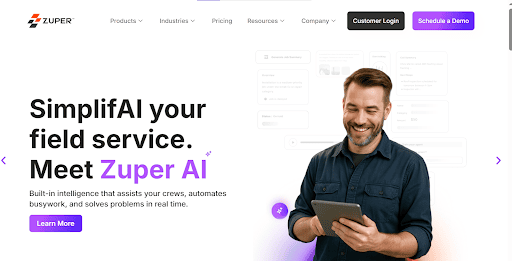
Zuper offers plumbing software for small to mid-sized teams. It provides mobile and cloud-based tools so technicians can work on-site, track their work, collect payments, and update status in real-time.
Zuper Key Features
Here are the key features of Zuper:
- Automates scheduling with skill-based and location-based dispatching
- Provides real-time GPS tracking and mileage monitoring
- Generates fast digital estimates and proposals
- Converts approved estimates directly into work orders
- Automates invoicing and integrates with payment gateways
- Tracks inventory, assets, and parts across locations
- Supports customer portal for service requests and payments
- Manages multi-phase projects with timelines and dependencies
- Tracks technician timesheets, shifts, and time off
- Customizes workflows and checklists for unique processes
- Provides a mobile app with offline work capabilities
Zuper Pricing
Zuper offers custom pricing plans, depending on your business size and feature needs. According to online sources , Zuper pricing may range between $65 – $105 per user per month.
RazorSync
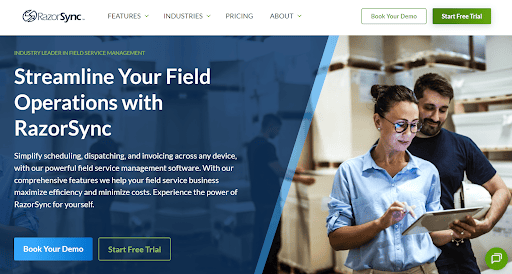
RazorSync is field service management software designed to simplify and optimize work for businesses with mobile teams. It helps teams handle scheduling, dispatching, and job tracking across multiple crews.
RazorSync Key Features
Here are the key features of RazorSync:
- Offers real-time scheduling and dispatching tools
- Supports routing to reduce travel time
- Provides full mobile access across devices
- Integrates with QuickBooks to automate bookkeeping
- Provides invoicing and payment processing
- Offers custom notifications
- Automates recurring invoicing
- Supports custom workflows, color-coded status updates, and job visibility
- Offers customer communication and service touchpoints
RazorSync Pricing
RazorSync pricing plans start at $90 per month for up to 2 users.
Comparison Table: Best Software for Small Plumbing Businesses
Platform Key Features Pricing Best For Overall Rating FieldPulse Drag-and-drop scheduling, GPS-based routing, custom workflows, inventory tracking, CRM, invoicing, on-site payments, and a mobile app with offline use Custom Small to mid-size plumbing teams needing scalability 4.8/5⭐ Housecall Pro One-click invoicing, flat-rate pricing tools, customer portal, job scheduling, and dispatching Starts at $79/user/month Small plumbing businesses wanting simplicity and automation 4.6/5⭐ Jobber Scheduling and dispatching, quote approvals, mobile app, and automated customer reminders Starts at $39/user/month Small home service teams needing easy-to-use tools 4.5/5⭐ FieldEdge Dynamic dispatching, flat-rate pricebook, QuickBooks sync, and mobile payment processing Custom Plumbing companies needing advanced accounting integration 4.4/5⭐ ServiceTitan Drag-and-drop dispatch, job costing tools, mobile app, customer portal, and SMS notifications Starts at $259/user/month Growing residential and commercial plumbing companies 4.3/5⭐ Zuper Smart scheduling, GPS tracking, inventory management, and a mobile app $65/user/month Small to mid-size teams needing mobile-first operations 4.5/5⭐ RazorSync Real-time scheduling, QuickBooks integration, recurring invoicing, and mobile job updates Starts at $90/month (2 users) Small businesses needing an affordable all-in-one solution 4.4/5⭐
How to Choose the Right Software for Your Plumbing Business
Here’s what you need to look for in plumbing business software:
Easy Scheduling and Dispatching
Choose software with drag-and-drop scheduling to simplify job assignments and technician management. This feature helps prevent double bookings, improves team coordination, and keeps your daily plumbing jobs organized and on track.
GPS Tracking and Route Optimization
GPS tracking gives you real-time visibility into technician locations and job routes. Route optimization helps reduce travel time, cut fuel costs, and increase job efficiency throughout the day.
Mobile App for Field Technicians
A plumbing mobile app allows plumbers to access schedules, job details, and customer information directly in the field. It provides real-time updates, reduces miscommunication, and helps technicians stay productive on the go.
Estimates and Invoicing
Look for a platform that lets your technicians create accurate, professional estimates and invoices on-site. This helps maintain consistent pricing, builds trust with customers, and speeds up the payment process.
Payment Processing
Integrated payment processing makes it easy to collect payments in the field or online. Offering multiple payment options, such as credit cards and ACH, improves customer convenience and cash flow.
Customer Management (CRM)
A built-in CRM keeps all customer details, job histories, and communication in one place. This helps you provide personalized service and easily track every interaction with your customers.
Inventory Management
Track your plumbing parts and materials with real-time inventory updates. This prevents shortages, keeps technicians prepared, and helps you manage costs effectively.
Reporting and Analytics
Detailed reports and dashboards give you insights into job profitability, revenue trends, and team performance. This data helps you make smarter decisions to grow your plumbing business.
Accounting Integration
Choose a QuickBooks compatible field service software . This keeps your financial records up to date while simplifying bookkeeping and tax preparation.
Automated Reminders and Notifications
Automated texts and emails keep customers informed about upcoming appointments and job updates. This reduces missed appointments, improves communication, and creates a professional customer experience.
Flexibility and Scalability
Choose plumbing software that adapts to your business as you grow. Scalable tools let you start with essential features and expand to advanced capabilities as you add more technicians, services, and customers over time.
Bottom Line: FieldPulse is the Best Software for Small Plumbing Businesses
Choosing the right software for your small plumbing business depends on your budget, feature needs, and team size.
FieldPulse is the best software for a small plumbing business that needs to manage 5-200+ employees. It provides comprehensive features, including scheduling, dispatching, CRM, invoicing, automation, and reporting.
With FieldPulse, you can configure workflows to adapt to your business needs with real-time visibility and control over every job, technician, and invoice. This helps you close more jobs, get paid, improve customer relationships, and grow sustainably.
Book a demo to learn how FieldPulse streamlines your plumbing operations, so you can grow your business with confidence.
Plumbing Business Software FAQs
What is plumbing software?
Plumbing software is a field-service management tool that helps plumbing businesses schedule and dispatch jobs, create estimates and invoices, track inventory, and manage customer records. It centralizes workflows to reduce admin time and improve profitability.
FieldPulse is a plumbing service software for commercial and residential businesses managing 5–200+ employees. It offers flexible workflows, scheduling and dispatching tools, CRM, pricebook, automated invoicing, reporting dashboard, and mobile.
What software would a plumber use?
A plumber usually uses an all-in-one field service management software for scheduling, dispatching, estimates/invoices, and payments. The right choice depends on team size, budget, and required features.
FieldPulse offers plumbing service solutions for commercial and residential businesses. It provides flexible and scalable workflows that adapt to your business needs and grow as you scale.