AI Scheduling Assistant: The Smartest Way to Modernize Scheduling Without Replacing Your Admins
AI scheduling doesn’t replace your admin — it unlocks them. This overview explores how AI scheduling assistants automate routine tasks, reduce coordination stress, and help field service teams run more efficiently.
Nov 26, 2025
Share


Scheduling is one of the most complex and high-stakes parts of running a field service business. Whether your company handles plumbing, HVAC, electrical , septic, garage door repair, or a mix of trades, scheduling determines how smoothly your day runs, how efficiently techs work, how customers feel about your brand, and how much revenue you generate.
Yet scheduling has traditionally relied on manual, disjointed processes—phone calls, sticky notes, whiteboards, spreadsheets, drive-time calculations, availability checks, cancellations, and last-minute reshuffles. And while business owners know how chaotic this can be, no one feels the pressure more than the office admin.
Modern AI scheduling assistants change that dynamic entirely. Using machine learning, natural language processing, and real-time calendar data, an AI scheduling assistant reduces manual effort, eliminates scheduling errors, and frees admins from the repetitive tasks that drain time and energy.
Admins juggle dozens of moving pieces every hour—checking multiple calendars, coordinating technician availability, updating ETAs, preventing double bookings, managing customer expectations, and resolving conflicts. Calendar sync ensures all calendar events stay up to date, allowing admins to manage calendars effectively without losing track of critical tasks.
This is where the rise of the AI scheduling assistant is transforming daily operations.
AI scheduling tools and AI schedule makers aren’t replacing admins. They’re removing the repetitive scheduling tasks that hold admins back from high-value work—customer follow-ups, technician support, workflow oversight, and revenue-driving coordination. With scheduling links and meeting scheduling tools, customers can schedule meetings themselves without back and forth. AI handles routine scheduling tasks so admins can focus on strategy.
Across industries, businesses adopting AI scheduling tools report reduced administrative work, fewer errors, faster turnaround on scheduling changes, and more accurate dispatching. These gains don’t come from replacing people—they come from equipping teams with better tools.
The best AI scheduling assistant tools include advanced features for calendar management, task management, AI scheduling logic, and automation—perfect for busy professionals managing a busy schedule. Despite a mild learning curve, most teams adapt in a few weeks and begin seeing immediate improvements.
In this guide, we’ll break down:
- What an AI scheduling assistant actually does
- How an AI schedule maker fits into a field service workflow
- Why admins become more valuable with AI
- How an AI scheduler improves calendar management, dispatching, and scheduling accuracy
- How FieldPulse uses Field Intelligence , Operator AI , Chat AI , and Scheduling & Dispatching to support modern service businesses
If your goal is to streamline your operations, reduce scheduling chaos, eliminate scheduling errors, and empower your admin, this is the playbook for you.
Why Scheduling in Field Service Is Challenging — and Why Admins Carry the Weight
Field service scheduling isn’t simple calendar management—it's operational coordination. Each job requires balancing:
- Technician skills
- Drive-time variability
- Job complexity
- Equipment requirements
- Emergency calls
- Customer availability
- Job site access
- Multi-day projects
- Seasonal peaks
- Shifting service windows
Every scheduling decision affects revenue, customer satisfaction, and technician performance. And when scheduling is manual, admins get trapped in a relentless loop:
- Calling customers
- Checking technician schedules
- Updating multiple calendars
- Managing time windows
- Preventing double bookings
- Adjusting for drive time
- Reassigning jobs
- Resolving conflicts
- Chasing down updates
This nonstop loop becomes overwhelming, but it’s also mission-critical work.
Traditional scheduling tools—especially basic scheduling or simple calendar apps like Google Calendar—weren’t built for dispatching, routing, technician assignment, or real-time field updates. They can schedule meetings and sync some calendar events, but they lack the advanced features needed for field-service demands .
That’s why service businesses are turning to smarter tools—including an AI scheduler built to support, not replace, their office staff.
Admins often fear, “If an AI scheduling assistant can do the scheduling, does that mean my job goes away?”
The answer: absolutely not.
AI doesn’t replace admins—it removes the repetitive tasks that prevent them from doing their best work.
What an AI Scheduling Assistant Actually Does
An AI scheduling assistant is software that automates and optimizes scheduling tasks, supporting everything from dispatching to calendar management to task coordination.
An AI scheduling assistant can:
- Schedule tasks automatically
- Fill calendar gaps intelligently
- Suggest optimal job times
- Organize tasks across multiple calendars
- Reschedule tasks automatically when conflicts occur
- Integrate real-time updates
- Manage recurring tasks
- Support meeting reminders and appointment management
- Improve workload visibility
- Maintain accurate calendar events
- Prioritize responsibilities by deadlines
It acts as both a scheduling assistant and an ai assistant—providing recommendations while letting admins stay in control.
What an AI Scheduling Assistant Is
It’s designed to:
- Automate scheduling tasks
- Improve calendar management
- Support team calendars
- Optimize technician assignments and routing
- Eliminate double bookings
- Manage recurring tasks and all the tasks your admin handles manually
- Sync all calendar events accurately
What an AI Scheduling Assistant Is Not
It is not:
- A replacement for human admins
- A negotiator for nuanced or emotional situations
- A communicator of empathy or tone
- A decision-maker during emergencies
- A manager of technician personalities
AI handles logistics. Humans handle judgment, relationships, and communication.
AI Takes Over the Tasks That Slow Admins Down
AI can automate:
- Appointment slot organizing
- Time window matching
- Skill-to-job matching
- Travel adjustments
- Recurring meeting scheduling
- Scheduling tasks based on urgency
- Smart scheduling queue generation
- Multi-calendar workload organization
- Automatically assigning tasks and reducing manual back and forth
- Organizing multiple tasks across the day
An AI schedule maker streamlines coordination so admins no longer spend hours glued to the schedule.
The Technology Behind How an AI Scheduler Works
Machine Learning
AI looks at patterns in things like:
- Job types
- Tech performance
- Time-of-day trends
- Seasonal spikes
- Historical durations
- Geographic patterns
- Calendar data
By understanding how your jobs typically unfold, AI can make smarter suggestions that keep the schedule realistic, accurate, and easier to manage.
Routing & Optimization Algorithms
AI considers details such as:
- Closest technician
- Least travel time
- Skill match
- Service window accuracy
- Route efficiency
With all of this factored in, AI can suggest the tech who’s the best fit for each job and help keep daily routes tight and efficient.
Natural Language Processing (NLP)
NLP allows the system to understand:
- Plain-language scheduling requests
- Phrasing variations (“book,” “schedule,” “add a job”)
- Context like timing or location
- Technician names and job types
- Natural conversation patterns
This makes it possible to type something simple like “Schedule a water heater repair Friday morning” and have it placed in the best time slot automatically.
Predictive Scheduling
AI pays attention to signals like:
- Bottlenecks
- Capacity issues
- Peak demand
- Optimal job durations
By spotting these patterns early, AI can warn your team before the schedule becomes overloaded and help you stay ahead of demand.
Real-Time Calendar Management
AI keeps an eye on:
- Calendar events
- Job statuses
- ETAs
- Conflicts
- Existing events
- Reminders
As these details change, the schedule updates right away so everyone — office and field — is working from the same, accurate information.
AI Scheduling Apps, AI Calendars, and How They Fit In
Not all scheduling tools are the same. An AI scheduling app or AI calendar app offers:
- Automated reminders
- Smart task handling
- Flexible meetings
- External meetings with video conferencing links
- Uninterrupted focus time and focus mode
- The ability to manage tasks automatically
- Better time management and work-life balance
- Free plan options or paid plans with priority support
The best AI scheduling assistant platforms aren’t just productivity apps—they’re full operational tools designed to handle all your tasks, not just meeting scheduling.
Types of AI Scheduling Assistants for Field Service
Rule-Based Scheduling Assistants
Best for:
- Basic scheduling
- Structure
- Predictable workflows
Conversational AI Scheduling Assistants
Best for:
- Fast-changing schedules
- Managing meetings
- Natural language commands
- Simplifying external meetings
Integrated AI Scheduling Systems
Best for:
- Dispatching
- Routing
- Communications
- Team coordination
- Managing entire field workflows
These systems include advanced features such as intelligent time blocking, smart scheduling queues, automated reminders, flexible meetings, and multi-calendar task management that free the admin from time-consuming manual work.
Why Admins Become More Valuable With an AI Scheduler — Not Less
With AI taking on the routine scheduling steps, admins become workflow strategists who oversee capacity, timing, communication, and customer needs.
AI removes low-value work:
- Rescheduling
- Checking calendars
- Handling cancellations
- Confirming availability
- Managing recurring tasks
- Detecting conflicts
Admins have more time to focus on:
- Invoice collection
- Technician support
- Customer communication
- Optimizing grouped jobs
- High-value clients
AI supports:
- Better choices
- Better prioritization
- Better time allocation
The admin’s value skyrockets—not because AI replaces them, but because AI removes what previously held them back.
AI Tools for Busy Professionals
For busy professionals managing multiple tasks, an ai scheduling assistant reduces:
- Manual workload
- Scheduling errors
- Calendar conflicts
- Back-and-forth communication
It helps assign tasks , automate scheduling, and boost productivity across the team.
It also assists with:
- Managing meetings
- Work-life balance
- Occasional sync issues (AI alerts you when these occur)
- Alignment with productivity apps
- Prioritizing all the tasks across the day
Core Benefits of an AI Scheduling Assistant
Fewer Errors
Thanks to automated reminders, conflict prevention, and accurate routing.
Less Admin Work
AI handles repetitive tasks; admins handle strategy.
Better Task Organization
Great for admins managing multiple tasks across multiple calendars.
Improved Collaboration
Helpful for the entire team—techs, office staff, and customers .
Better Calendar Management
AI protects focus time, enables focus mode, and supports intelligent planning.
Why the Best AI Scheduling Assistant Stands Out
Top-performing systems offer:
- Advanced features
- Intuitive task management
- Learning curve support
- Powerful AI tools
- Integration with Google Calendar
- Syncing with Google Tasks
- Multi-calendar management
- Best AI calendar experience
- Scheduler AI for dispatching
- Options across free and paid plans
How AI Scheduling Fits Into Real Field Service Workflows
Morning
AI pre-builds the day.
Mid-Day
AI syncs calendar events and prevents conflicts.
Emergencies
AI finds the nearest tech fast.
End of Day
AI auto-generates next-day tasks.
Why Field Service Businesses Are Turning to AI Tools
Field service businesses using modern field service management software — especially platforms that include AI capabilities — consistently report improvements across their operations. Teams see gains in:
- Efficiency
- Technician productivity
- Scheduling accuracy
- Job completion rates
- Customer satisfaction
The reason is simple: AI-enabled scheduling scales, while manual scheduling struggles as call volume, team size, or job complexity increases.
Many teams are also beginning to use AI micro-task assistants (sometimes called AI employees) to handle small, repetitive scheduling and coordination tasks. These tools work alongside admins — not in place of them — reducing administrative load while keeping human oversight at the center.
How FieldPulse Uses AI to Transform Scheduling, Communication, and Daily Operations
FieldPulse isn’t built for generic office workflows — it’s designed specifically for field service businesses. Each AI feature reduces administrative load, improves scheduling accuracy, and ensures your team can act quickly with better information.
Below is a fully reimagined, more engaging explanation of each AI capability — written to highlight value, clarity, and ease of understanding.
Field Intelligence: Smarter Decisions, Fewer Guesswork Moments
Field Intelligence brings real operational data to the surface so teams can plan their days with clarity. It analyzes workload patterns, technician capacity, job durations, and seasonal trends to help your team schedule more effectively.
What it helps you do:
- See where your schedule is over- or under-booked
- Anticipate busy days and staff accordingly
- Understand job length patterns for more accurate time windows
- Quickly identify patterns that slow down revenue
Field Intelligence helps you make decisions that feel less reactive and more strategic — all without leaving FieldPulse.
Operator AI: Your Always-On Scheduling & Booking Partner
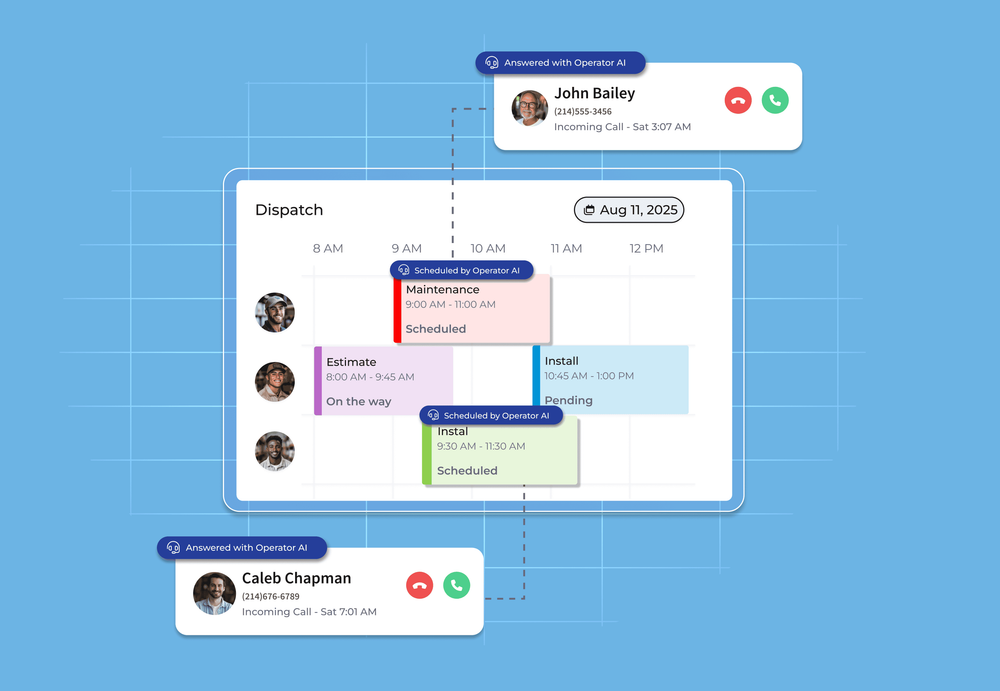
Operator AI functions as a 24/7 scheduling partner that steps in whenever your team can’t. Whether it’s after hours, during peak call volume, or when staff are tied up, Operator AI captures requests and locks jobs into your schedule automatically.
What Operator AI delivers:
- Round-the-clock call capture so no customer slips through the cracks
- Automatic job creation inside FieldPulse — no manual entry later
- Smart routing so urgent issues reach the right technician quickly
- Natural conversational flow, making interactions feel human and trustworthy
Operator AI provides nonstop coverage so your business never loses opportunities.
Chat AI: Turn Website Activity Into Booked Work
Chat AI acts as a responsive, branded assistant on your website — ready to help customers the moment they arrive. It answers common service questions, gathers job details, and books appointments directly into FieldPulse.
Where Chat AI shines:
- Converts web traffic into scheduled jobs automatically
- Responds instantly with accurate, helpful information
- Reflects your brand’s tone, style, and expectations
- Removes the delay between a customer question and your response
With Chat AI, your website becomes a fully staffed service desk that’s active 24/7.
Why FieldPulse’s AI Approach Works
Many “AI tools” feel detached — separate apps, clunky integrations, or features that don’t match how field service teams truly work. FieldPulse takes the opposite approach:
AI is built directly into the FieldPulse workflow, so you don’t need extra software.
Admins stay in control, approving, adjusting, and overseeing final decisions.
AI handles the repetitive work — scheduling logistics, booking steps, intake, and data entry.
The human team handles the judgment — communication, nuance, and relationship-building.
Together, FieldPulse’s AI system gives admins the strength of an ai schedule maker and ai scheduler without ever losing the human advantage that keeps customers loyal.
How to Successfully Introduce AI Scheduling Into Your Operations
To adopt AI scheduling tools smoothly, follow this roadmap:
1. Start with the Admin
Explain that the AI scheduler exists to remove workload, not replace roles.
2. Map Your Current Scheduling Process
Identify repetitive tasks the AI scheduling assistant can automate for field service management.
3. Set Scheduling Rules
Define:
- Time windows
- Job types
- Technician skills
- Service zones
- Job priority levels
AI follows your system — not the other way around.
4. Train Your Admin on AI Tools
Teach the admin how to work with:
- AI recommendations
- The smart scheduling queue
- AI-assisted calendar management
- Predictive routing suggestions
5. Maintain Human Oversight
Admins should review AI suggestions and finalize decisions.
6. Measure Improvements
Track:
- Time saved
- Jobs per day
- Reschedules
- Customer satisfaction
- Technician utilization
Teams could see gains within weeks.
The Future of Scheduling: AI + Human Expertise
AI adoption continues to grow, but human judgment remains essential. The future of field service scheduling blends:
- Human decision making
- AI accuracy
- Automated scheduling
- Real-time optimization
- Intelligent calendar management
- Better communication
Admins remain central. AI simply unlocks their full potential.
Conclusion: AI Doesn’t Replace Your Admin — It Unlocks Them
AI is becoming an essential part of modern scheduling, not because it replaces the people who manage your operations, but because it takes on the repetitive tasks that slow them down. When admins have tools that automate routine steps, surface smarter scheduling options, and reduce manual back-and-forth, they gain more time to focus on communication, customer care, and problem-solving — the areas where human judgment matters most.
If you’re exploring how AI can support your team, FieldPulse offers practical AI features that assist with scheduling, task coordination, and communication—while keeping admins fully in control. Book a demo to see how FieldPulse supports a more efficient, manageable workflow.
Related posts
